


A Timeline for Planning Your 2027 User Conference Social Wall
Published on September 16, 2026
If your team is planning a user conference for May or June 2027, you are probably deep in the fall prospecting window right now. You are lining up venues, sketching out the agenda, and figuring out how to price sponsorships. Somewhere in the middle of all that, someone will ask whether you should have a social wall at the event.
The answer is easier when you ask it early. A conference social wall is a large screen (or several) that shows attendee posts, photos, and messages in real time. When teams decide to include one at the last minute, it becomes a scramble. They pay rush fees, they miss the chance to sell it to sponsors, and they end up stapling it onto a plan that was already finished.
There is a better way to handle it. The user conference planning process already has natural check-in points, and the social wall fits neatly into each one. When you slot the decision in at the right moment, the wall stops being an extra cost and starts paying for itself before the doors even open. This article walks through a simple countdown so you know exactly what to do and when.
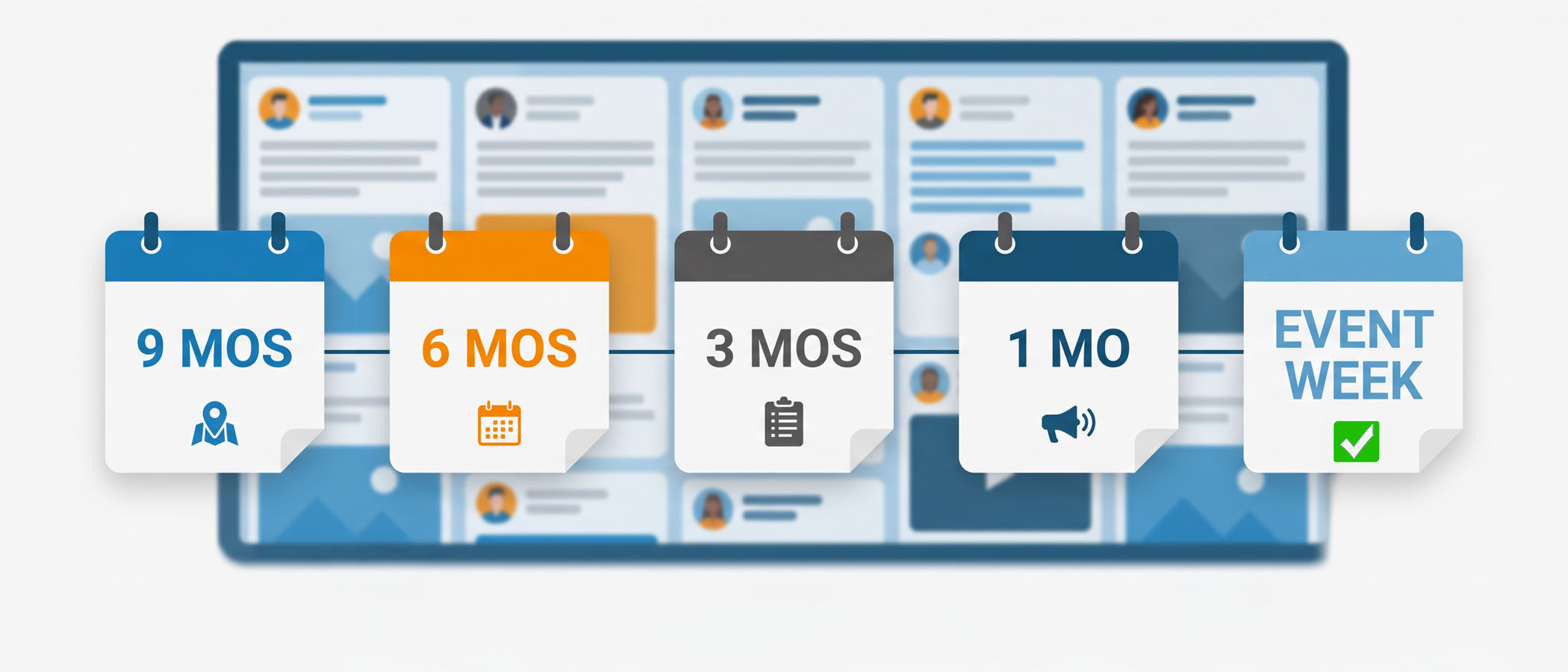
The T-Minus Timeline for a Conference Social Wall
Think of your planning schedule as a countdown. Each stage below lines up with something your team is already doing, so adding the wall does not create a whole new workstream. It just becomes one line item inside work you have on your plate anyway.
9 Months Out: Put the Wall in the Sponsorship Prospectus
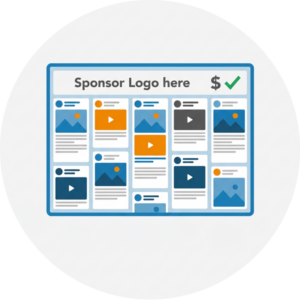 This is the single most important moment in the whole timeline. Around nine months before your event, your sponsorship team builds the prospectus, which is the document that lists everything a sponsor can buy. Booth space, keynote mentions, lounge naming rights, and so on.
If the social wall is listed here as sellable inventory, it can be paid for by a sponsor instead of coming out of your event budget. A sponsor logo can live on the wall between posts, a sponsor can “present” the wall, and their brand gets seen every time someone glances at the screen. We have written more about this in our guide on the ROI of social walls, which covers how the sponsorship math works out.
Who enters here: the sponsorship sales lead. They need to know the wall exists and roughly what it costs so they can price the package. That means the events lead has to make the call before the prospectus is finalized. Miss this window, and the wall becomes a pure expense for the rest of the timeline.
A few things to decide at this stage:
- Whether the wall is a standalone sponsorship or bundled into a larger tier
- How sponsor branding will appear on the screen
- A ballpark cost so sales can build a fair price
6 Months Out: Launch the Registration Site With a Website Embed
About six months before the event, your registration website goes live. This is where the website embed comes into play, and it is a step a lot of teams forget.
Every Everwall event social wall includes the ability to embed the same wall onto your website at no extra cost. So the wall you plan to show on screens in the ballroom can also live on your event’s website. Before the event even happens, visitors see real posts and start recognizing the event hashtag. It builds momentum during the exact period when people are deciding whether to register.
Who enters here: the web or marketing team. They handle the registration site, and dropping in an embed is a small task if they know it is coming. If the wall was already approved back at the nine-month mark, this step is simple. If it was not, this is usually where teams realize they should have decided earlier.
3 Months Out: Lock In AV Orders and Screen Placement
Three months out is when audiovisual (AV) orders go in. This covers screens, projectors, cabling, and where everything physically sits in the room. Your social wall needs a home, and that home has to be decided before the AV vendor finalizes the plan.
Questions to settle now:
- How many screens will show the wall, and where?
- Will it be near the stage, in the hallway, in the lounge, or all three?
- What resolution and orientation (portrait or landscape) do you need?
- Does the venue have the right power and (ideally) internet drops in those spots?
Who enters here: the AV vendor. They will tell you what is possible in your space and what it costs. Placement matters more than people expect. A wall tucked into a dead corner gets ignored, while one in a high-traffic spot like the registration line or coffee area gets constant attention. If you want ideas on where posts come from and how to keep the screen lively, our social wall content ideas piece is a good read.
1 Month Out: Promote the Hashtag and Staff Moderation
One month before the event, promotion kicks into high gear, and two jobs land on the social team’s desk.
 Hashtag promotion. Your event needs a short, easy hashtag that people will actually use. Put it in emails, on signage mockups, in the event app, and across your social accounts. The earlier people see it, the sooner they start posting. Our hashtag wall guide for conferences breaks down how to pick one and get it circulating.
- Moderation staffing. Someone needs to keep an eye on what shows up on the screen. A good social wall lets you approve posts before they go live, which keeps anything off-brand or inappropriate off your big screen. Decide now who will do this and whether they will do it manually or lean on automated tools. We cover the full approach in our post on social media wall moderation.
Who enters here: the social team. They own the hashtag, the posting prompts, and the moderation shifts during the event.
Event Week: Test Everything and Hardwire the Connection
The final stage is the week of the show. This is not the time to discover a problem, so keep it to testing and setup.
Run the wall on the actual screens in the actual room. Check that posts appear quickly, the layout looks right on your specific screen size, and sponsor branding shows the way it should. Do this a day early if you can.
The biggest technical tip: use a hardwired internet connection, not venue WiFi, if at all possible. Conference WiFi the attendees are on gets crowded fast once thousands of attendees show up, and a wall that depends on it can stop updating if the WiFi goes down. A wired connection to the machine running the wall keeps it steady all day. if you can’t use a hardwired connection, at least try to use a connection designated for your event team only since they usually stay up even if the attendee WiFi goes down.
Who enters here: the events lead and AV vendor together, making sure the plan they built months ago actually runs the way it should.
Where Each Decision Maker Fits In
One reason social walls get bolted on late is that no single person owns the decision from start to finish. It touches several roles at different times. Here is a quick map of who does what:
| Stage | Who Enters | Main Job |
|---|---|---|
| 9 months | Events lead + Sponsorship sales | List the wall as sellable inventory |
| 6 months | Web / marketing team | Add the website embed to registration |
| 3 months | AV vendor | Screen placement and orders |
| 1 month | Social team | Hashtag push and moderation staffing |
| Event week | Events lead + AV vendor | Testing and hardwired setup |
The events lead is the thread running through all of it. As long as that person makes the initial call early, everyone else can do their part at the right time without a fire drill.
The Money Lesson: Planning Commits Early, Costs Commit Late
Here is the part that trips up a lot of budget-conscious teams. The decision to include a social wall has to happen early, way back at the prospectus stage. But you do not actually pay for most of it until much later.
That gap works in your favor. Because Everwall’s event social walls use one-time billing tied to your event dates, you are not paying month after month during the long planning period. You reserve your spot in the plan when it counts, then the real cost lands close to the event.
And if the wall was sold as a sponsorship at the nine-month mark, that sponsor revenue often covers the cost entirely. You committed to it in the plan early, the sponsor money came in during the sales cycle, and by the time the bill is due, it is already paid for. That is the whole point of getting it into the prospectus instead of adding it at the last minute. If you want a wider look at tools that fit into this kind of plan, our conference engagement tools guide covers the full picture.
Making the Wall Do More Than Fill a Screen
A social wall is not just a slideshow of tweets. When you plan it early, you have time to make it genuinely useful for your 2027 user conference.
Everwall supports 15 content sources, including X, Instagram, LinkedIn, Bluesky, Facebook, SMS, and a direct web form for attendees who do not want to post publicly. That last option matters at corporate events, where plenty of people prefer to submit a photo or message without broadcasting it to their followers. You can read about that approach in our piece on getting posts without social media.
You also get real-time updates and a choice of layouts, plus custom design if you go with Full Service. For a flagship user conference, Full Service is usually the right fit because the setup is handled for you, the wall is built to match your brand, and can it include your sponsors in more custom ways. When your event is the biggest thing your company does all year, having a team build and run the wall for you is worth it.
If going Full Service, the design process usually gets slotted in between the 3-month and 1-month mark.
 Start With the Prospectus and the Rest Falls Into Place
The whole timeline comes down to one early move. Put the social wall in the plan at prospectus time, list it as something a sponsor can buy, and every stage after that gets simpler. The website embed slots into your registration launch, the AV order includes proper screen placement, the hashtag and moderation get staffed on schedule, and event week is just testing instead of troubleshooting.
Teams that wait until the last month end up paying full price for something they could have had a sponsor cover, and they miss all the pre-event momentum a website embed builds. Nine months out feels early, but that is exactly why it works.
Planning a flagship user conference for 2027? Everwall’s Event Social Walls fit right into your timeline, from the sponsorship prospectus all the way through event week. Our Full Service option handles setup and custom design so your team can focus on the rest of the show. Get in touch early, get it in the plan, and let it pay for itself before the doors open.
Pretty good, right? Share this with your people.


