


What Makes a Social Wall Work at a Hybrid Sales Kickoff
Last Updated on September 17, 2026

Picture the main stage at your sales kickoff. The lights are up, a leader is on stage, and the room is loud with cheering reps. Now picture a rep sitting at home, watching that same moment through a laptop. They see the back of someone’s head, hear muffled applause, and feel like they’re watching a show instead of being part of one. That gap is the biggest problem with a hybrid sales kickoff, and most companies don’t notice it until half their team has quietly checked out.
The good news is that this problem has a clear fix. A shared social wall, one that both the in-room crowd and the remote reps can see and post to, puts everyone on the same footing. This article walks through why hybrid SKOs lose remote people, and how one screen can pull them back in.
The Hybrid Gap: Why Remote Reps Feel Left Out
When part of your sales team is in the room and part is watching a stream, you’re really running two events at once. The trouble is that they don’t feel the same.
In-person reps get energy from everything around them. They high-five during a big number reveal, whisper jokes to the person next to them, and grab coffee with a coworker between sessions. None of that reaches the stream. Remote reps get the slides and the audio, but they miss the parts that make an SKO feel like a team moment.
This matters because kickoffs are supposed to build momentum for the whole year. If remote reps spend the day as spectators, they walk away without the excitement their in-room coworkers feel. And there’s a real cost to that. Gallup has found that only about 23% of employees worldwide are engaged at work, which shows how easily people drift into passive watching when nothing pulls them in (Gallup State of the Global Workplace).
A hybrid SKO doesn’t fail because the remote setup is bad. It fails when remote people have no way to be seen.
Note: Our guide on hybrid event social walls is a good companion read. Here, we’re focused on the SKO specifically.
One Wall, Two Outputs: The Same Screen Everywhere
The fix starts with a single social wall that shows up in two places at the same time.
 In the room, the wall lives on a big screen near the stage. Between sessions, during breaks, or while a speaker takes questions, that screen fills with posts from the whole team. On the stream, the same wall shows up too, either as a full embed on the event page or as lower-third graphics that slide across the bottom of the video.
Here’s what makes this work: it’s one wall, not two feeds. When a remote rep posts a photo of their home desk setup and it appears on the giant screen in the main room, they know their coworkers saw it. That’s the whole point. Their post shares the same space as everyone else’s.
An event social wall from Everwall handles both outputs without extra work. The wall shows on the room’s screen, and the same wall can be embedded on your event page or in your event app at no extra cost. You set it up once, and both audiences get the same view.
Here’s how the two outputs line up:
- In the room: A large display near the stage or in the hallway, cycling through posts in real time.
- On the stream: A full embed on the event page, or lower-third overlays on the video feed so posts appear right in the broadcast.
- Shared moderation: One person reviews posts for both audiences, so nothing slips through in either place.
- Same content, same timing: A post from a remote rep and a post from an in-room rep show up together, in the same rotation.
Private Sources Fit Hybrid SKOs Perfectly
There’s a detail about SKOs that makes them different from a public conference. A lot of what gets said at a kickoff is internal. You’re talking about numbers, strategy, and named accounts. You don’t want that flowing onto public X or Instagram feeds.
This is where private sources come in, and they happen to fit hybrid events perfectly.
Posts from where your team already talks
Your reps are already in Slack or Microsoft Teams all day. During a hybrid SKO, they can post to a specific channel, and those posts flow straight onto the social wall. No new app to download, no public account needed. A remote rep in another time zone types a message in Teams, and it lands on the same screen as everyone else.
A web form for anyone
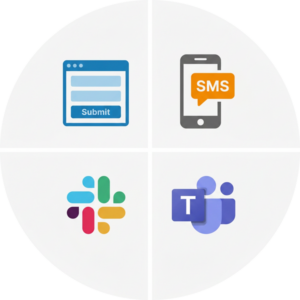 Not everyone lives in Slack. Everwall also supports a direct web form, so a rep can submit a photo or a short note through a simple link. This works well for people who joined the stream from a browser and want to jump in fast.
SMS for the phone-first crowd
Some reps would rather text than open anything. An SMS option lets them send a message from their phone and see it appear on the wall. For remote reps watching on one screen and holding a phone in the other hand, this is often the easiest path.
Everwall supports 15 different content sources in total, which means you can mix private channels like Slack and Teams with a web form and SMS, and keep the whole thing internal. For an SKO, that mix matters more than the public networks, because it keeps sensitive talk off the open internet while still letting everyone join.
Prompts and Polls That Give Remote Reps Equal Weight
Having a wall is step one. Getting people to use it is step two, and that’s where prompts and polls earn their keep.
A prompt is just a question or a call to action you put on the screen and say out loud. The trick with a hybrid SKO is to write prompts that work the same for both audiences. A prompt like “Take a photo with your table” leaves remote reps out. A prompt like “Show us your setup for today” works for someone at a conference table and someone at a kitchen table.
Here are a few prompt ideas that treat both groups the same:
- “Post one word that describes your goal for this quarter.”
- “Drop a photo of your workspace right now, wherever you are.”
- “Share the best piece of advice you’d give a new rep.”
- “Tag the teammate who helped you close your last big deal.”
None of these depend on being in the room, so a remote rep’s answer carries the same weight as anyone else’s.
Polls do something similar, but with a twist that helps hybrid events a lot. When you run a live poll and show the results on the wall, every vote counts once, whether it came from the front row or from a laptop three states away. Remote reps aren’t a side group whose input gets lost. They’re part of the same count. If you want a deeper look at running these well, our piece on how live event polls increase audience participation covers the details, including why showing the results on screen is what makes polls actually work.
The reason this matters for a kickoff is simple. When a remote rep votes in a poll and watches the bar chart shift on the same screen the in-room crowd is watching, they get proof that they’re in the room too, even if they’re not.
Putting It Together for Your Next SKO
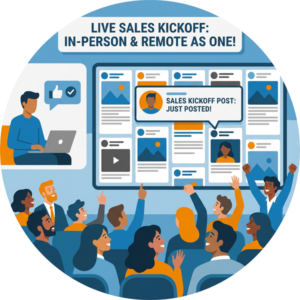 A hybrid sales kickoff works when remote reps stop being an audience and start being participants. That shift doesn’t come from a better webcam or a longer agenda. It comes from giving remote people a place to show up that their in-room coworkers can see.
One social wall, shown on the big screen and on the stream, does exactly that. Private sources like Slack, Teams, a web form, and SMS keep the content internal while letting anyone post from anywhere. Prompts written for both groups and polls that count every vote the same way make sure no one gets treated like a second-tier guest.
If you’re planning a kickoff and want more ideas for the whole event, our roundup of sales kickoff ideas and our look at SKO themes for 2027 are worth a read. But the single change that closes the hybrid gap is the shared screen. When a remote rep’s post shows up next to everyone else’s, they stay in it for the whole day.
Ready to close the gap between your in-room and remote reps? An Event Social Wall from Everwall puts both audiences on the same screen, with private sources like Slack, Teams, and SMS built in. Set it up once, show it in the room and on the stream, and give every rep a place to be seen. Take a look and start planning your hybrid SKO today.
Pretty good, right? Share this with your people.


