


The Complete Guide to Conference Engagement Tools (2026 Edition)
Published on December 1, 2025
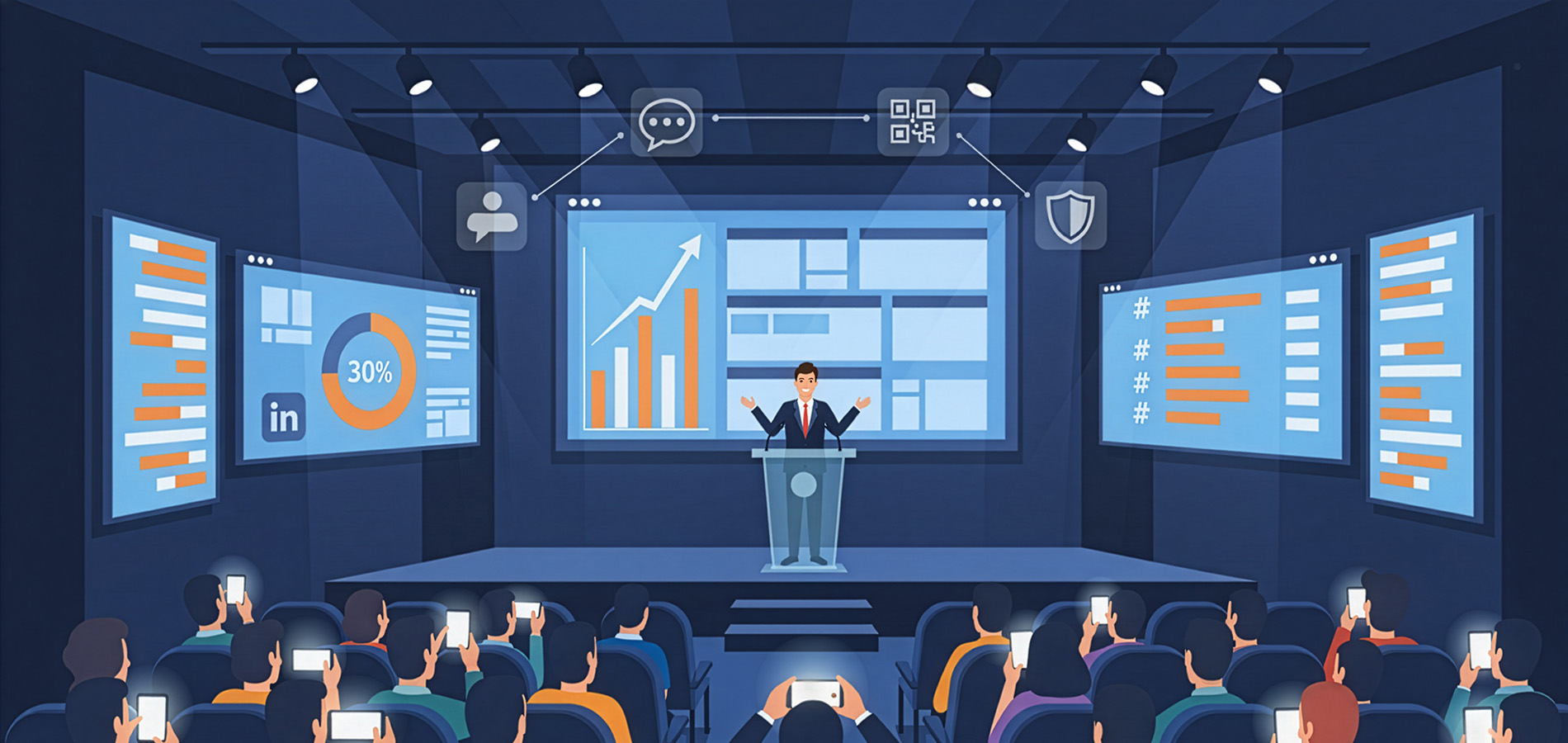
Planning a conference that attendees actually remember feels harder every year. People expect more than just speakers and slides. They want experiences worth talking about, connections that matter, and reasons to put down their phones instead of scrolling through them.
The good news is that conference engagement tools have caught up with these expectations. The challenge is knowing which ones actually work and how to use them without overwhelming your team or blowing your budget. This guide breaks down the categories that matter, what to look for in each, and how to make smart decisions that improve your event without adding unnecessary complexity.
Understanding Conference Engagement Tool Categories
Conference engagement tools fall into several distinct categories. Each serves a specific purpose, and the best events combine multiple tools rather than relying on just one.
Social walls display real-time social media content from attendees, speakers, and sponsors. They create visible proof that conversations are happening and encourage more people to participate.
Live polling and Q&A platforms let audiences vote on topics, ask questions, and provide instant feedback. These work especially well during keynote sessions when hundreds of people want to participate but only a few can speak up.
Gamification platforms turn attendance into a game with points, badges, and leaderboards. They work best when prizes or recognition matter to your specific audience.
Mobile event apps centralize schedules, maps, speaker information, and networking features in one place. They’re most valuable at multi-day or multi-track conferences where navigation becomes challenging.
Networking tools help attendees find each other based on shared interests, job roles, or business goals. They’re particularly important at professional conferences where making connections is half the reason people attend.
Audience response systems capture feedback through interactive surveys, quizzes, or rating scales. They provide data you can use during the event and afterwards for improvement.
Social Walls: Making Conversations Visible
When attendees post on social media during your conference, that content usually disappears into individual feeds. Social walls change this by aggregating posts and displaying them where everyone can see them. This visibility changes behavior in meaningful ways.
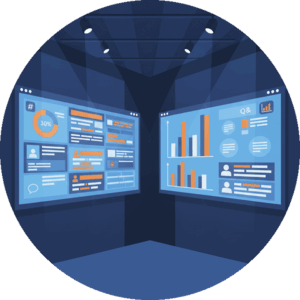 People post more when they see their content displayed on screens throughout the venue. They use your event hashtag more consistently, engage with each other’s posts, and create content that sponsors actually want to be associated with.
Everwall’s Event Social Walls pull content from 15 different sources including X, Instagram, LinkedIn, Bluesky, and Facebook. The platform updates in real-time, so new posts appear within seconds. With 12 different layouts available in the self-service option and custom design capabilities for full-service clients, the displays adapt to your brand and venue requirements.
When evaluating social walls, look for these features:
- Content moderation options that let you review posts before they go live or filter automatically based on keywords. The last thing you need during a keynote is inappropriate content appearing behind your speaker.
- Multiple social platform support so attendees can participate regardless of which networks they prefer. Limiting to one platform excludes participants and reduces overall engagement.
- Customization capabilities that match your brand colors, fonts, and style. Generic displays feel like an afterthought. Branded displays feel like part of the experience.
- Easy setup that doesn’t require technical expertise or IT support. If launching your social wall takes hours of troubleshooting, you’re using the wrong tool.
- Website embedding so the same feed that appears on venue screens can also appear on your event website or in your event app. This connects virtual and in-person audiences without managing separate systems.
The pricing matters too. Everwall offers a self-service option starting at $49 per event day, with a 30-day pass available for conferences with setup days, the event itself, and takedown periods.
Live Polling and Q&A Platforms
Passive audiences don’t remember much. Active audiences stay engaged and retain more information. Live polling and Q&A platforms turn listeners into participants and are a great conference engagement tool.
These tools let speakers ask questions and display results in real-time. A presenter can ask “How many of you have implemented this strategy?” and show the response distribution on screen within seconds. This immediate feedback creates moments of connection that static presentations miss.
Q&A functionality addresses a practical problem at large conferences. Passing microphones around wastes time. Many people won’t speak up in front of hundreds of strangers. Digital Q&A lets everyone ask questions from their phones, and moderators can filter and prioritize before sending them to speakers.
Look for platforms that integrate with your presentation software. If your speaker has to switch between PowerPoint and a separate browser window, the experience becomes clunky. Seamless integration maintains flow and professionalism.
Anonymous question options often generate better questions because people ask what they actually want to know rather than what sounds impressive. However, some events prefer attributed questions for accountability. Choose a platform that supports both approaches.
Response analytics provide value beyond the live event. Understanding which poll questions generated the most engagement or which topics received the most questions helps improve future programming.
Gamification: When Competition Drives Participation
Gamification works brilliantly for some audiences and falls flat with others. Understanding your attendees determines whether investing in these event engagement platforms makes sense.
The concept is straightforward. Attendees earn points for actions like checking into sessions, visiting sponsor booths, posting on social media, or answering quiz questions. The points translate to leaderboard positions, and top participants win prizes.
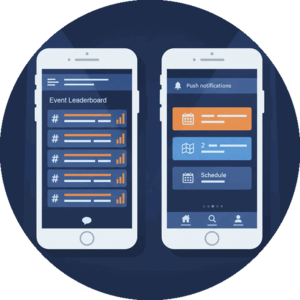 Corporate conferences with younger attendees often see strong engagement with gamified elements. Association conferences with older, professional audiences sometimes find gamification gimmicky. Test your audience before committing significant budget.
When gamification works, it solves real problems. Getting people to visit all sponsor booths becomes easy when doing so earns points. Encouraging social media participation happens naturally when posts contribute to leaderboard standings. Attendance at less popular sessions improves when checking in earns rewards.
Evaluate gamification platforms on prize management capabilities. Can you offer tiered prizes? Can sponsors contribute prizes and get recognition? Can you award instant wins for specific actions? The more flexible the prize structure, the more creative you can be with incentives.
Integration with other tools matters. If your gamification platform doesn’t connect with your social wall or event app, participants need multiple accounts and workflows become confusing. Look for platforms that play well with your other technology choices.
Mobile Event Apps: Your Conference Command Center
Printed programs made sense when conferences were simpler. Now they’re outdated before the opening session begins. Mobile event apps solve the information problem while adding functionality that paper never could.
The baseline features include schedules, speaker bios, venue maps, and session descriptions. These alone justify app adoption by reducing printing costs and allowing last-minute updates.
Advanced features create the real value. Personal agenda building lets attendees mark sessions they want to attend and receive reminders. Networking features help people find each other based on interests or professional background. Sponsor modules give exhibitors visibility beyond their booth space.
Push notifications are powerful but dangerous. Use them for truly important announcements like room changes or emergency information. Overuse them for promotional messages and attendees disable notifications or delete your app.
When selecting event apps, consider setup time. Some platforms require weeks of configuration. Others work with simple spreadsheet uploads. If you have a small team, choose simplicity over feature bloat.
Social media integrations allow your attendees to easily see the content about your event. If possible, choose an event app that ties in with your social wall so that you can manage the content once and it becomes visible in both locations. Everwall lets you do this. For detailed guidance on other aspects of social media related to your event, check out our article on How Conference Social Media Engagement Tools Create Connected Event Experiences.
Offline functionality keeps your app useful even when venue WiFi fails. Attendees can still access schedules, maps, and saved content without connectivity.
Analytics show which sessions generated the most interest, which sponsors got the most profile views, and how attendees moved through your conference. This data improves planning for future events.
Networking Tools: Connecting the Right People
Many attendees cite networking as their primary reason for attending conferences. Yet most conferences leave networking to chance. Dedicated networking tools change this by helping people find each other intentionally.
Matching algorithms suggest connections based on job roles, interests, geographic location, or business objectives. Instead of randomly chatting with whoever sits nearby, attendees connect with people who might actually become valuable professional relationships.
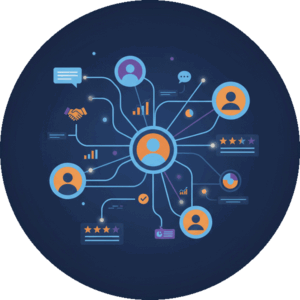 Meeting scheduling features let people book time slots for one-on-one conversations. This works especially well at larger conferences where finding someone in a crowd of thousands is nearly impossible.
Virtual business card exchange eliminates the awkward pocket-fishing and card-forgetting that plagues traditional networking. People exchange contact information digitally and can add notes about where they met and what they discussed.
Profile completeness incentives encourage attendees to fill out detailed profiles before the conference. The more information available, the better the matching algorithms work. Consider making complete profiles part of your gamification strategy if you’re using both tools.
Integration with LinkedIn or other professional networks reduces friction. If people can import their professional information rather than retyping it, adoption increases significantly.
Audience Response Systems: Measuring What Matters
Understanding attendee satisfaction, learning outcomes, and preferences requires data collection. Audience response systems make this easy by enabling surveys, quizzes, and rating scales throughout your conference.
Real-time session feedback helps speakers adjust on the fly. If poll results show most attendees already understand a concept, the speaker can skip ahead. If results show confusion, the speaker can slow down and clarify.
Post-session surveys capture reactions while experiences are fresh. Waiting until after the conference to ask for feedback produces less accurate results because memory fades.
Educational conferences use quiz functionality to verify learning and provide continuing education credits. Multiple-choice questions with immediate correct/incorrect feedback reinforce key concepts.
When choosing audience response systems, prioritize ease of use. If attendees struggle to find or access your surveys, response rates plummet. Look for systems that work through web browsers without requiring app downloads.
Question variety matters. Multiple choice works for some purposes. Open-ended questions work for others. Rating scales work for still others. Choose platforms that support the question types you need.
Export capabilities determine how useful your data becomes after the conference. Can you export to Excel or Google Sheets? Can you filter responses by session or attendee type? Can you create visualizations? The easier the export process, the more likely you’ll actually use the data.
Hybrid Event Tools: Bridging Physical and Digital Audiences
Many conferences now include both in-person and virtual attendees. Conference technology needs to serve both groups without making either feel like an afterthought. Our article on hybrid event social walls covers this topic in depth.
Streaming platforms form the foundation. Virtual attendees need reliable access to session content with good video and audio quality. But streaming alone doesn’t create engagement.
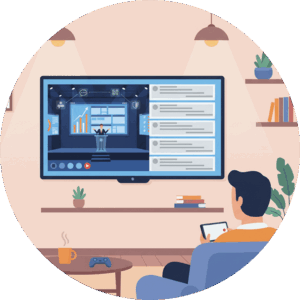 Virtual attendees need ways to ask questions, participate in polls, and connect with other attendees. The same engagement tools that work for in-person audiences should extend to virtual participants.
Social walls work particularly well for hybrid events because they create a shared space where both audiences participate equally. An in-person attendee’s Instagram post appears alongside a virtual attendee’s LinkedIn post, creating a sense of unified community despite physical separation.
Chat functionality gives virtual attendees a backchannel for conversation and questions. Monitored chat can feed questions to speakers or moderators, ensuring virtual voices get heard.
Networking becomes more challenging in hybrid formats. Look for platforms that facilitate networking across both audience types. Virtual attendees should be able to schedule meetings with in-person attendees and vice versa.
Creating Your Conference Engagement Tool Selection Framework
Choosing conference engagement tools shouldn’t start with feature comparisons. It should start with clear objectives.
What problems are you trying to solve? Low social media mentions? Poor sponsor satisfaction? Attendees leaving early? Difficulty collecting feedback? Each problem points toward different tool categories.
Who is your audience? Age ranges, technical comfort levels, and professional backgrounds all influence which tools will actually get used. A gamification platform that works brilliantly for a tech conference might bomb at a medical conference.
What’s your budget? Event engagement tools range from free to tens of thousands of dollars. Be realistic about what you can spend, but remember that the cheapest options often cost more in staff time and have poor results.
How much staff support do you have? Some tools require significant setup and monitoring. Others practically run themselves. Match tool complexity to your available resources.
What are your technical capabilities? If your team lacks technical expertise, choose tools with strong support and simple setup. If you have tech-savvy staff, more complex tools become viable.
Create a comparison matrix with your must-have features on one axis and your shortlisted tools on the other. Rate each tool on ease of use, features, pricing, and support quality. This structured approach prevents getting dazzled by flashy features you don’t actually need.
Implementation Timeline and Resource Planning
Even the best conference engagement tools fail when implementation is rushed. Proper planning means starting early and allocating adequate resources.
90 days before the conference, finalize your tool selection and complete procurement. This includes contract signing, initial payment, and project kickoff.
60 days before, complete technical setup. This includes branding customization, content source connections for social walls, event app configuration, and integration testing between different platforms.
45 days before, train your staff on tool administration. Everyone who might need to moderate content, update schedules, or troubleshoot issues needs hands-on practice before the event.
30 days before, begin promoting your engagement tools to registered attendees. Email campaigns, social media posts, and website updates should explain what tools you’re using and why attendees should care.
14 days before, test everything again. Technology changes, integrations break, and what worked a month ago might not work now. Run through every feature as if you’re an attendee.
48 hours before, do final checks and confirm backup plans. What happens if your social wall stops updating? What if your polling platform goes down during a keynote? Having answers ready prevents panic.
During the event, monitor engagement metrics and be ready to adjust. If people aren’t using a particular tool, consider whether you need to promote it differently or abandon it entirely.
For social walls specifically, setup time varies significantly. Everwall’s self-service option can be configured in under an hour once you’ve decided on your content sources and layout. Other platforms require days or weeks of configuration and technical support.
Budget Considerations and Cost Optimization
Conference engagement tools represent an investment, but the return on that investment varies dramatically based on how you approach budgeting.
Consider total cost of ownership rather than just sticker price. A platform with a low monthly fee but expensive add-ons for features you need might cost more than a higher-priced platform that includes everything. Factor in setup fees, per-attendee charges, support costs, and integration expenses.
Prioritize spending on tools that solve your biggest problems first. If sponsor satisfaction is your main concern, invest heavily in tools that give sponsors visibility. If attendee participation is the issue, focus the budget on engagement platforms. Spreading a limited budget across too many tools means doing nothing particularly well.
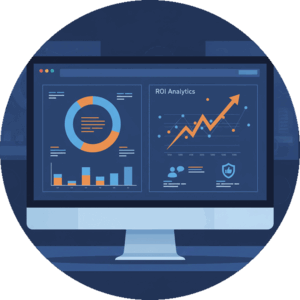 Look for platforms that offer flexible pricing models. Everwall’s 30-day pass option, for instance, makes more sense than per-day pricing when you need social walls for setup, the event itself, and takedown periods. Other platforms have attendee limits, which works well for smaller conferences but becomes expensive for large events.
Consider multi-event discounts if you run multiple conferences annually. Many vendors offer better rates for clients who commit to multiple events or annual contracts (we have a program called All Access designed for this).
Factor in staff time as part of your budget. A platform that saves your team 20 hours of work is worth more than one that saves money but requires constant attention.
Don’t forget about hardware costs. Social walls need displays. Polling platforms need reliable WiFi. Some tools require specific devices or equipment. Budget for these beyond just software costs.
Measuring Event ROI and Success Metrics
You can’t improve what you don’t measure. Defining success metrics before your conference lets you evaluate whether your investment in conference technology paid off.
Attendee participation rates show what percentage of attendees actually used your engagement tools. If you had 500 attendees but only 50 used your social wall, that’s a 10% participation rate. Benchmark this number and try to improve it at future events.
Social media reach and impressions quantify how far your message traveled beyond the venue. Total impressions from event hashtag usage, divided by the number of attendees, shows your per-attendee reach. Events using social walls on average see an increase in social media mentions compared to events without them.
Sponsor satisfaction scores matter if sponsor revenue funds your conference. Survey sponsors about their visibility, lead generation, and overall satisfaction. Compare scores from events with different engagement tool setups to see what works.
Session attendance rates improve when people receive mobile reminders and can easily find rooms. Compare attendance between sessions in your app versus those not listed, or compare to previous events without apps.
Post-event engagement shows whether your tools created lasting connections. How many LinkedIn connections happened because of your networking tool? How many business conversations started in your event app and continued afterwards?
Cost per engagement divides your total tool investment by the number of meaningful interactions created. This normalizes spending across events of different sizes and helps justify budget requests.
Net Promoter Score (NPS) improvements from year to year indicate whether attendees feel the experience is getting better. Ask “How likely are you to recommend this conference to a colleague?” and track changes over time.
Real Implementation Examples and Results
Understanding theory matters less than seeing results. Here are examples of how different conferences used engagement tools effectively.
A technology conference with 2,500 attendees implemented a social wall displaying content from X, Instagram, and LinkedIn. They promoted the event hashtag heavily in pre-event communications and placed screens strategically throughout the venue. Participation started slowly on day one but accelerated as attendees saw their posts featured on screens. By the final day, 42% of attendees had posted using the event hashtag at least once, generating over 8,000 total posts and 2.3 million social media impressions. Sponsors reported the social wall as the second-most valuable benefit they received, behind only their exhibit booth space.
An association conference serving financial professionals struggled with low engagement in traditional Q&A sessions. They implemented a live polling platform that let attendees submit questions anonymously from their phones. Question volume increased by 600% compared to the previous year’s microphone-based approach. Speakers reported feeling more connected to their audiences because they could address questions that people actually cared about rather than only hearing from the handful comfortable speaking publicly.
A healthcare conference used gamification to drive booth visits in their exhibit hall. Attendees earned points for checking into exhibitor booths, with bonus points for visiting all sponsors in a particular category. They offered tiered prizes and booth visit rates increased compared to the previous year, and exhibitor satisfaction scores improved significantly.
Common Implementation Mistakes to Avoid
Even good tools fail when implemented poorly. Here are mistakes to avoid.
Promoting tools too late. Sending one email two days before your conference doesn’t give attendees time to download apps, create accounts, or understand features. Start promotion at least a month early with multiple touchpoints.
Choosing too many tools. Every additional platform creates friction and requires explanation. Five different apps for five different purposes guarantees confusion. Choose integrated platforms or accept that some features aren’t worth the complexity they add.
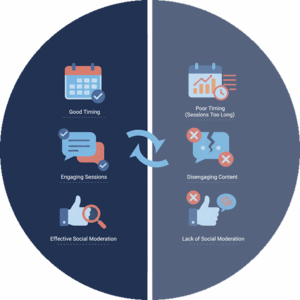 Ignoring moderation. Social walls without moderation eventually display inappropriate content. The question isn’t whether this will happen but when. Set up moderation filters or assign someone to review posts before they go live.
Forgetting about internet connectivity. Tools that require internet access don’t work when venue WiFi fails. Have backup plans or choose tools with offline functionality. For extensive guidance on creating effective conference displays, visit our post about social media walls for conferences.
Overlooking training. Assuming your team will figure out new platforms on the fly leads to mistakes during the event when stakes are highest. Schedule training sessions and create simple reference guides.
Setting unrealistic expectations. Not every attendee will use every tool. Some people won’t engage with gamification. Others won’t post on social media. Success means improving engagement rates, not achieving 100% participation.
Looking Ahead: 2026 Trends in Conference Engagement
The conference technology landscape continues to change. Several trends are shaping what works in 2026 and beyond.
Artificial intelligence is beginning to influence networking recommendations and content personalization. Platforms now suggest sessions based on profile information and past behavior. While early implementations feel gimmicky, the technology is improving rapidly.
Privacy concerns are making anonymous engagement options more popular. People want to participate without feeling like they’re being data-mined. Tools that balance engagement with privacy are gaining traction.
Integration between platforms is becoming table stakes rather than a premium feature. Attendees expect their event app, social wall, and polling platform to work together seamlessly. Vendors that don’t offer integration are losing market share.
Simplified setup processes are winning clients. Event planners don’t have time for tools that require weeks of configuration. Platforms emphasizing easy setup and self-service options are growing fastest.
Sustainability considerations are influencing tool selection. Conferences focused on environmental impact favor digital tools that reduce printing and waste. This trend extends beyond just replacing printed programs to thinking about the carbon footprint of technology choices.
Ready to make your next conference more engaging? Everwall’s Event Social Walls help you showcase attendee content in real-time, increase social media participation, and create memorable experiences that extend your event’s reach far beyond the venue. With self-service options starting at just $49 per event day and setup that takes minutes instead of weeks, you can start creating better conferences today.
Pretty good, right? Share this with your people.


