


AI for Social Wall Management with Everwall’s MCP Server
Published on July 27, 2026

Running a social wall during a live event means juggling a lot at once. You are watching posts come in, deciding what to approve, pinning the moments that matter, and updating the room on what happens next. All of that happens while the event is moving fast around you. Now imagine describing what you want in plain words and having an AI tool help you get it done, without giving up any control over what actually shows on screen.
That is where AI for social wall management can make a real difference. Everwall’s new MCP server makes possible. This article walks through what it does, how it works, and why it matters for the people who keep events running.
Why Event Engagement Creates So Much Pressure
Getting people to post is only the first step. The harder part is managing everything that happens once the content starts flowing.
During a live event, someone on your team is usually handling several jobs at the same time:
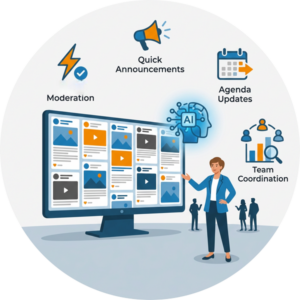 Reviewing posts as they come in, and then approving or denying them
- Pinning important moments so they stay visible
- Running announcements between sessions
- Keeping the agenda current if your schedule shifts
- Checking how engagement is going
- Reacting quickly when plans change
Any one of these is manageable on its own. Put them together during a busy conference or a packed ballroom, and your team can feel stretched thin. Clicking through a dashboard while also watching the room is tiring, and small delays add up. A late announcement or a post that sits too long in the moderation queue can chip away at the experience you worked hard to build. Good social wall moderation has always been about speed and judgment, and event day tests both.
What an MCP Server Actually Is
MCP stands for Model Context Protocol. That sounds technical, but the idea behind it is simple.
An MCP server is a secure connection point that lets AI tools talk to outside platforms in a structured, predictable way. Think of it as an open standard that works like a universal adapter. Instead of the AI service building a custom plugin app on the market, a platform like Everwall can offer a standard MCP server that many AI tools already know how to connect to.
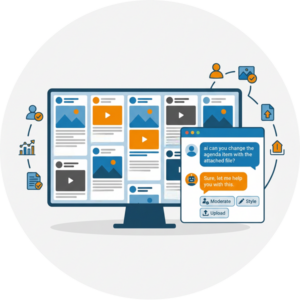
Here is what that means for you in practice. Instead of clicking through menus to complete a task, you describe what you want in plain English (or French, or Spanish, or whatever language you prefer). Then the AI then uses tools that Everwall has created to help it do what you asked for. You are still the one in charge. The AI is just doing the work on your behalf, using only the tools it has been given access to.
What Everwall’s MCP Server Can Help With
Once you connect the MCP server to your AI tool, it can help with a wide range of everyday wall tasks. These are the kinds of actions that normally require you to be inside the dashboard, moving from screen to screen.
In practice, AI for social wall management means spending less time moving between dashboard screens and more time focusing on the event. You describe the task you need completed, and the AI uses Everwall’s available tools to carry it out.
The server can help you:
- Moderate posts by approving, denying, or organizing them
- Search and sort through wall content
- Edit captions or add alt text for accessibility
- Create and manage announcements
- Build and run polls
- Manage agenda items for your event
- Pull wall stats and leaderboard information
- Post content through Everwall Connect
- Refresh screens so displays stay current
- Answer account and pricing questions using your real account details
Everything here happens through your existing Everwall account. The AI is not inventing new features. It is simply reaching the same controls you already use, in a faster and more conversational way.
Why This Matters for Event Organizers and Marketers
The value of AI for social wall management shows up most clearly in the moments when speed counts.
Less time in the dashboard
When you can describe a task instead of hunting for the right button, routine work moves faster. That frees you to keep your eyes on the room and on your attendees.
 Faster moderation during rushes
Big moments create post surges. A keynote wraps up and suddenly the queue fills. Being able to say “approve everything from our official accounts” helps you clear the backlog without falling behind.
Easier team coordination
When several people help run a wall, plain-language commands lower the learning curve. Not everyone on your team memorizes where each setting lives, and they no longer have to.
Better reactions when plans shift
Sessions run long. Lunch moves. A sponsor moment gets added last minute. You can push an announcement or update the agenda in seconds instead of digging through menus.
More confidence with complex walls
Larger events mean more content, more sources, and more decisions. Having AI assist with the operational load helps you stay organized when a wall is at its busiest.
This is support for the people running engagement, not a replacement for them. The human decisions stay human. The busywork gets lighter.
How Everwall’s MCP Server Fits Into the Engagement Platform
The MCP server is not a side project that stands apart from the rest of Everwall. It connects to the same tools you already rely on, which means it supports the full range of ways people use Everwall.
Event Social Walls. This is where the server does its most visible work. During a live event, AI can help with moderation, announcements, polls, agenda updates, and keeping posts organized. If you have not set up a wall before, our guide on how to set up a social wall covers the basics, and the Event Social Wall product page shows what the display can do.
Ongoing Social Walls and Digital Signage. For offices, restaurants, and other spaces that run a wall all the time, teams can refresh screens and keep content current without logging in and clicking around each time.
Social Wall for Websites. Content that gets tagged, sorted, and organized during an event can be displayed live on your website during your event, or reused later online. The AI can help find and label posts so they are ready when you want to embed them somewhere. And if you’re not doing an event, and are only using the social wall on your website, you can still use your AI tool of choice to manage nearly everything.
Everwall Connect. This lets outside systems, custom apps you’ve built, photo booths, and AI agents submit posts directly into a wall. We still support all the regular content sources, like X, Instagram, Linkedin, Facebook and more. But Everwall Connect gives you flexibility to display posts from anywhere on your social wall, you just have to ask your AI tool to create the post.
Everwall has grown into more than a screen that only displays social posts. It is where engagement gets managed, organized, and carried beyond the event itself, and the MCP server is one more way to handle that work.
Keeping Humans in Control
Any time AI touches your accounts, trust matters. Everwall built the MCP server with guardrails so you stay the decision maker.
That balance is essential when using AI for social wall management. The technology can help complete tasks faster, but your team still controls access, approvals, and what ultimately appears on the wall.
A few things are worth knowing:
- The AI only sees the accounts and walls you already have access to. It cannot reach anything outside your permissions.
- It can only do what it has permission to do. Access is not open-ended.
- For most tools, it asks before making changes, so you get a chance to confirm.
- The pricing tools are read-only. The server can answer questions about your plan, but it cannot change your billing or plan for you.
The point of all this is simple. AI can help you move faster, but people still decide what gets shown, what gets approved, and what gets shared. That fits with how we have always thought about this. As we wrote in AI in Events: What It Can’t Replace, the human side of connection is the part that makes an event worth attending. The MCP server handles the operational side so your team has more room for the human side.
Who This Is Best For
The MCP server helps a range of people, from those who never touch code to those who live in it.
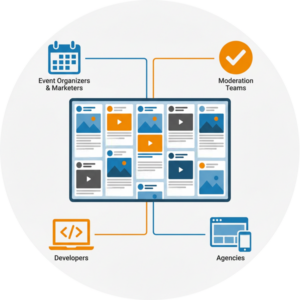 Event organizers and marketers get the most obvious win. If you would rather run your wall by describing what you need, this fits the way you already think about your event.
Moderation teams working through busy queues can clear content faster and keep pace during high-traffic moments.
Agencies managing several client walls at once can move between accounts and tasks more quickly. If you handle multiple events, our piece on event engagement tools for agencies covers how scaling this kind of work changes the math.
Developers and power users who work with tools like Claude Code, OpenAI Codex, or other MCP-compatible apps can plug in and start building right away. API access is available on every Everwall account, so you do not need a special plan to use the MCP server.
What It Looks Like in Practice
The easiest way to picture this is through the kinds of things you might actually say. Here are short examples of commands you could give:
- “Approve everything from official accounts and anything that doesn’t look like spam.”
- “Create a full-screen announcement that lunch starts in 10 minutes.”
- “Show poll results on the wall.”
- “Find all posts from yesterday tagged with sponsor names.”
- “Update the agenda to the agenda I have attached here.”
- “Pull stats from the last two hours.”
Each of these would normally mean several clicks across different parts of the dashboard. Spoken or typed in plain language, they become a single request. During a live event, that difference in speed is exactly when it counts. And because Everwall walls pull from 15 different content sources, including X, Instagram, LinkedIn, Bluesky, Facebook, SMS, and our own web form, being able to search and sort all of it quickly keeps a busy wall organized.
The Takeaway
Events are still about people. A social wall works because attendees see themselves on screen and feel like part of something happening in real time. AI does not change that, and it should not try to. What it can do is take the repetitive, click-heavy work off your plate so your team spends less energy on the dashboard and more on the event itself.
Everwall’s MCP server is built around that idea. It brings AI for social wall management into the tools event teams already use, providing a faster, conversational way to handle moderation, announcements, polls, agendas, stats, and posting while keeping every real decision in human hands. AI cannot replace the human connection at events, but it can help your team manage the systems that make participation easier, quicker, and better organized.
Ready to run your next event with a wall your team can actually keep up with? Everwall’s Event Social Walls bring attendee posts to life in real time, and now you can manage it all conversationally through our MCP server. Start building your wall today and see how much smoother event day can feel.
Pretty good, right? Share this with your people.


