


Association Meeting Social Wall Buyer’s Guide
Published on September 30, 2026
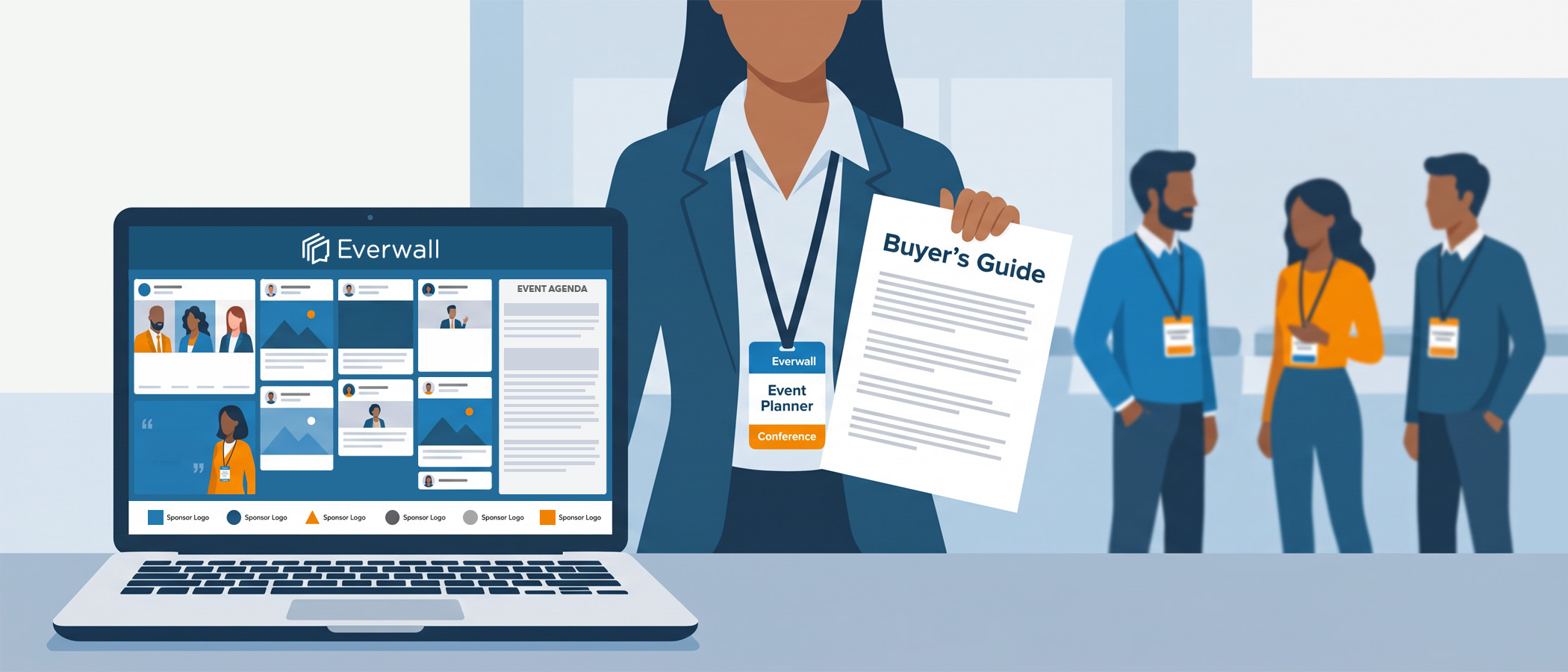
If you’re choosing an association meeting social wall for your annual event, you already know the pressure. Your committee wants proof that attendees felt connected. Your finance team wants line items that pay for themselves. And your members expect an event that feels current, not one that looks the same as it did ten years ago.
A social wall solves more of those problems at once than most people expect, and it fits your meeting size almost perfectly. Post it near registration, in the general session hall, or by the coffee stations, and it becomes something people look at, laugh at, and add to during breaks.
This guide walks you through how to buy one the smart way: sizing it to your schedule, planning for moderation your members will respect, and setting it up so a sponsor helps pay for it. If you plan meetings for several clients, there’s a section for you too.
Sizing the Solution by Meeting Length
The first question is not “which platform,” it’s “how many days do I need it running?” Association meetings come in a few common shapes, and the right purchase depends on your schedule.
Here’s a simple way to think about it:
- A one or two day meeting. If your event is short, paying per event day is usually the cheapest route. You turn the wall on for the days you need it and you’re done.
- A full meeting week. Many association meetings spread across four or five days once you count pre-conference sessions, the main program, and a closing event. Once you cross three or four active days, a 30-day pass almost always costs less than paying per day. It’s the same wall, priced for a longer window.
- Setup and rehearsal time. The 30-day pass has a hidden benefit here. You can turn the wall on days before your event to test layouts, confirm your sources are pulling posts, and let your AV team run it on the screens during rehearsal. You’re not paying extra for that practice time, so nobody is rushing on the morning of day one.
With Everwall’s Event Social Wall, the self-service option lets you pay by the day or grab the 30-day pass, whichever matches your calendar. If you want help budgeting the different paths, our breakdown of social media wall cost lays out day passes, subscriptions, and full-service pricing side by side.
Moderation Expectations for Your Association’s Social Wall
Association members are professionals. They post under their real names, and they represent their companies, their chapters, and sometimes their licenses. That raises the bar on moderation. You want the wall to feel lively, but you can’t afford an off-color joke or a competitor’s promo showing up on the main screen during a keynote.
Good moderation is what makes the difference between a wall your board trusts and one they ask you to shut off. Here’s what to look for and how to plan for it.
Give Yourself Enough Moderators
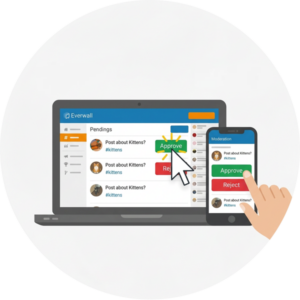 One person watching a wall for eight hours will burn out and miss things. You want a tool that lets you add as many moderators as you need at no extra cost. During your busy general sessions, put two or three people on it. During quiet breakout blocks, one is plenty. Everwall does not cap the number of moderators you can add, so you can staff up when it matters without paying more.
Moderate From Anywhere
Your moderators won’t always be standing next to the screen. A staffer might be at the registration desk, a volunteer might be in a breakout room, and your marketing lead might be checking posts from their hotel room the night before. Remote moderation lets any approved person review and approve posts from a laptop or phone, wherever they are. That flexibility keeps the wall covered even when your team is spread across a big convention center.
When to Hand Moderation Off Entirely
Some meetings are high-stakes enough that you don’t want your own people watching the wall at all. Maybe you have a controversial policy session, a press-heavy general session, or simply a small team that can’t spare anyone. For those cases, a managed moderation option puts a trained team on the wall so every post is reviewed before it appears. You set the rules, they enforce them, and your staff stays focused on running the event.
If you want to go deeper on setting rules and handling edge cases, our guide on social wall moderation best practices covers the process step by step. For meetings where you’d rather keep everything private, the approach in running a private social wall shows how to require approval on every post and keep the public out.
Make Your Association Meeting Social Wall Sponsor Ready
Here’s the part that changes how you should think about this purchase. A social wall is not just an attendee perk. It’s inventory you can sell. When you set it up with a sponsor in mind before the event, the sponsorship revenue can cover the cost of the wall several times over.
The reason it works is visibility. Every attendee who glances at the wall sees whatever branding sits on it. Over a multi-day meeting, that adds up to thousands of impressions in your busiest, highest-traffic spots.
To make the wall easy to sell, build these into your setup:
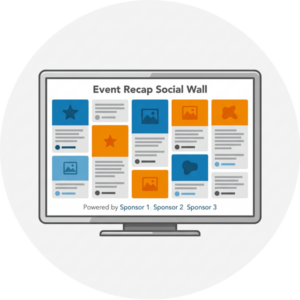 A branded header or footer. Reserve a spot on the layout for the sponsor’s logo. It stays on screen the entire time the wall is running.
- Sponsored prompts. Ask attendees to post using a theme the sponsor cares about. “Share your best takeaway from the morning session, brought to you by [Sponsor]” ties their name to real member participation.
- A named wall. Some associations sell the whole thing as “The [Sponsor] Community Wall.” It’s simple, and sponsors like seeing their name on something people actually use.
- A recap the sponsor keeps. After the event, hand the sponsor a page of the best posts with their branding on it. Everwall Wrapped builds this for you automatically, and you can read how in our post on the event recap page.
If you’re building your sponsorship package from scratch, our list of event sponsorship ideas and our guide on how to get sponsors for an event will help you price and pitch the wall alongside your other offerings. The goal is simple: treat the wall as sellable inventory that happens to delight attendees, not as a cost you have to defend.
The AMC Angle: One Platform Across Every Client
If you work at an association management company, you’re not planning one meeting. You might be running a dozen client events across the year, each with its own board, brand, and budget. Buying a new tool for each one is a headache, and it means your team relearns the setup every time.
A better approach is to standardize on a single association meeting social wall platform and reuse what you build. When your staff knows one moderation workflow, one layout builder, and one setup process, every client meeting gets easier and faster. You quote it the same way each time, you train new hires once, and you stop reinventing the process for every event on the calendar.
For AMCs and associations juggling multiple meetings, Everwall offers All Access for Business, which lets you run walls across many events without buying each one separately. It’s built for exactly this situation: several clients, several meetings, one predictable way of working. Our piece on event engagement tools that scale for agencies digs into how a shared platform cuts setup time and protects your margins across accounts.
Keep the Procurement and Paperwork Simple
Association budgets and approval chains can be slow. The last thing you need is a tool that requires a long contract, a custom quote for every small change, and a legal review that drags into the month before your event. When you compare association meeting social wall options, weigh the paperwork as much as the features.
A few things make procurement painless:
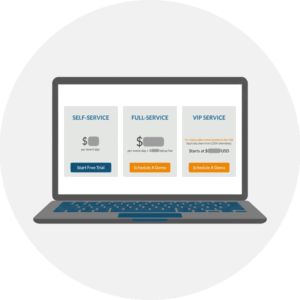 Clear, published pricing so your finance team can budget without waiting on a sales call.
- One-time billing for event walls if you only have a few events a year, so there’s no ongoing subscription to track after the meeting ends.
- Simple add-ons you can turn on or off without renegotiating anything.
- Fast setup so you’re not blocked waiting on a vendor to build your wall.
Everwall’s self-service event walls are priced openly and billed once per event, which keeps the finance side clean. You pick your days or your 30-day pass, add the sources and moderation you want, and you’re set. If your meeting calls for a hands-off, fully built experience, the full-service option handles the design and setup for you, but even then the scope is spelled out up front.
While the wall lives mainly on the big screens at your meeting, remember it also comes with a website embed at no extra cost. You can drop the same feed into your event app or your meeting website so members following along from their seats, or from home, see the same posts everyone in the room sees. Our overview of the event social wall platform explains how the in-person display and the embed work together.
Putting It All Together
The smartest way to buy an association meeting social wall is to stop thinking of it as a screen decoration and start thinking of it as revenue. Size it to your meeting week with a 30-day pass, plan moderation that respects your professional audience, and package it as sponsorship inventory. If you run meetings for several clients, standardize on one platform so every event gets easier than the last.
Do that, and the wall pays for itself while your members enjoy seeing their own posts up in lights.
Ready to give your next annual meeting a wall your members will crowd around and your sponsors will pay for? Take a look at Everwall’s Event Social Wall to see layouts, content sources, and moderation options, and to get started in minutes. If you manage meetings for several associations or clients, ask us about All Access for Business so your whole team can work from one platform all year long.
Pretty good, right? Share this with your people.


