


How to Put a Social Wall on the Big Screen at Winter Commencement
Published on September 3, 2026
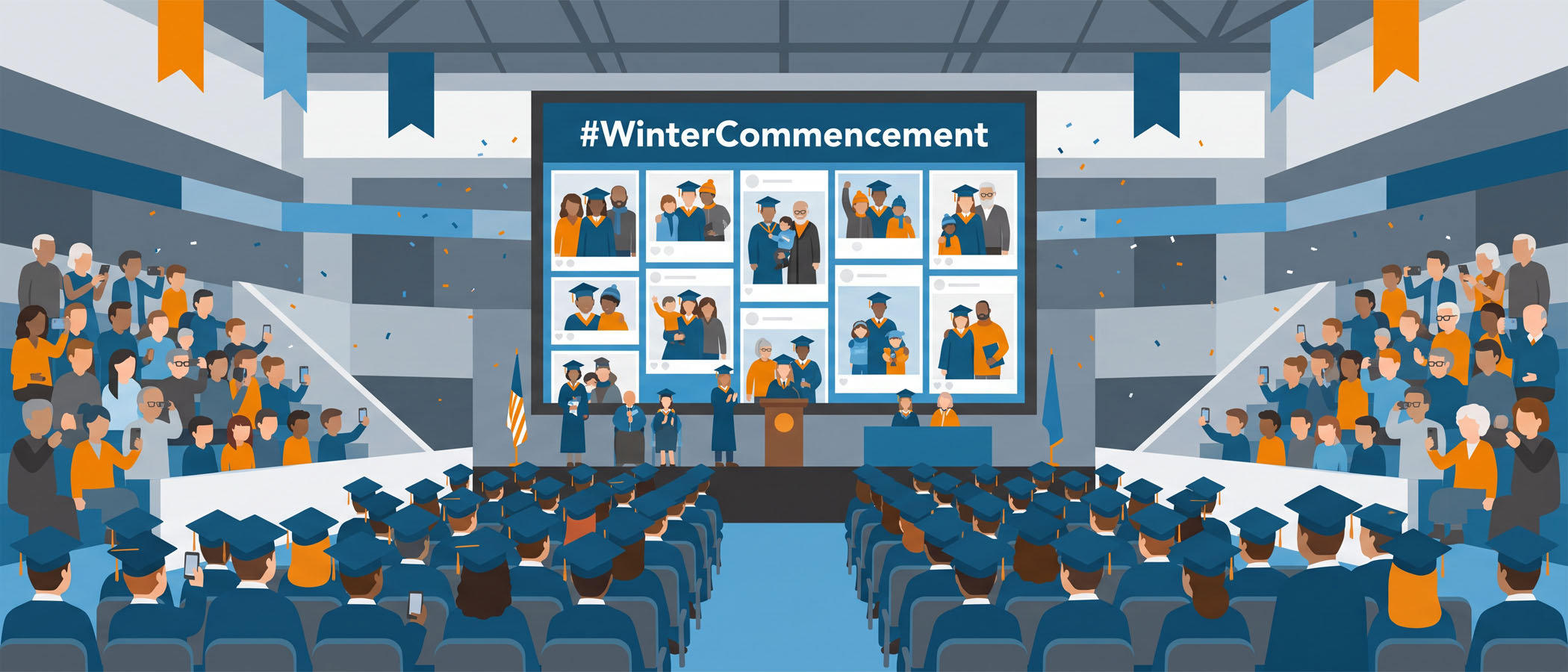
The lights dim, the graduates file in, and the arena screen usually shows the same static slide it has shown for the last twenty minutes. Meanwhile, families in the stands are already snapping photos, texting proud grandparents, and posting pictures of their graduate. All of that energy is happening on hundreds of phones, and none of it is on the screen everyone is looking at.
A winter commencement social wall changes that. It pulls posts from families and graduates into one live feed and puts them on the big screen for the whole room to see. If you are the person planning a December ceremony and you have been asked to make the video board feel more alive, this article walks you through the actual setup: how to connect it to the arena screen, how families can join in even without social accounts, how to keep everything appropriate for the audience, and how to pay for it without a mountain of paperwork.
If you are still gathering ideas for what to display and how to promote it, we already covered that in our pieces on engagement ideas for fall and winter commencements and graduation engagement. This one is about buying it and getting it running.
Getting the Social Wall onto the Video Board or Arena Screen
The screen at your ceremony is really just another display, and a graduation social media wall shows up on it the same way a website would. You open the wall in a web browser and send that browser to the screen. The part worth planning ahead is how you make that connection.
Talk to your AV team early
 Whoever runs the video board, whether that is your campus AV crew or a hired production company, will want to know a few things well before ceremony day:
- What device will run the social wall (a laptop, a small media player, or a computer they already use for the screen)
- What resolution the screen expects, so the layout looks sharp and fills the space
- Whether they want the wall on the full board or in a smaller section next to the live camera feed
- When they can do a quick test run with the actual wall loaded
Send them the link to the wall a day or two ahead so they can load it, check how it looks, and adjust the display size. Nobody wants to be troubleshooting a browser window while families are finding their seats.
Choose hardwired over WiFi
Use a hardwired internet connection for the computer running the wall whenever you can. Arena WiFi gets crowded fast when a few thousand people show up with phones, and a live feed that keeps refreshing needs a steady connection. A plugged-in ethernet cable will not drop out when the building fills up. If wired internet is truly not an option, ask your AV team about a dedicated connection that is separate from the public guest network.
Pick a layout that reads from a distance
People in the back rows are far from the screen, so the content needs to be big and easy to read. Everwall offers twelve layouts on the self-service plan, and for a large screen the ones that show one or two large posts at a time usually work better than a busy grid packed with small tiles. Photos of graduates look great large, and a caption people can read from fifty rows up beats one they have to squint at. If you want something built to match your school’s colors and branding exactly, the full-service option can custom design the layout for you.
Letting Families Join Without a Social Account
Here is the concern that comes up most often: not every parent or grandparent has Instagram or X. If the only way to get on the screen is through a social network, you leave a lot of your audience out. A good graduation social media wall gives people more than one way in.
Everwall supports fifteen content sources, and two of them are perfect for a family crowd who may not post on social media at all:
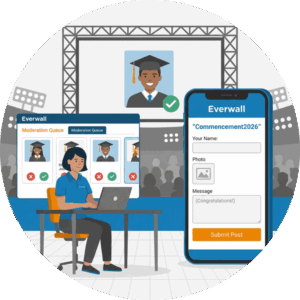 A QR code and web form. Print a QR code in the program, put it on signage near the entrances, and show it on the screen between posts. Someone points their phone camera at it, a simple web form opens, and they upload a photo and a short message. No app, no account, no login. This is Everwall Direct, and it is the easiest path for guests of any age.
Text message (SMS). Guests text a photo and a note to a number you provide, and it lands in the moderation queue just like everything else. Texting is something nearly everyone already knows how to do, which makes it a comfortable option for older family members.
Of course, people who do use Instagram, X, Facebook, LinkedIn, or Bluesky can still post with your ceremony hashtag and show up on the wall too. The point is that families choose whatever feels natural to them. We wrote more about this approach in getting event attendees to post without social media if you want to see how the QR web form works in practice.
Moderation for a Family Audience
A commencement is a family event, and the screen is in front of children, grandparents, faculty, and community guests. You do not want anything surprising showing up on it. That is why moderation matters more here than almost anywhere else.
Set your wall so that nothing appears on the screen until a person approves it. With approval-first moderation, every post lands in a private queue. A staff member or volunteer looks at each photo and message, taps approve on the good ones, and skips anything that does not belong. Only approved posts ever reach the video board.
For a ceremony, a few simple habits keep things running smoothly:
- Assign one or two people to watch the queue during the event, ideally with a backup
- Approve posts in small batches so the feed stays fresh without anyone rushing
- Agree ahead of time on what you will and will not post, so there is no hesitation in the moment
- Start approving a little before the ceremony begins, since families often post while finding their seats
Because you approve everything first, the wall stays celebratory and safe the entire time. If you want a deeper look at handling a live queue, our guide on social media wall moderation covers the details.
Buying It Without a PO or RFP
School purchasing can be slow. Requests for proposals, purchase orders, and approval chains can turn a small idea into a semester-long project. The good news is that a social wall for a single ceremony does not require any of that.
Everwall’s Event Social Wall is available at self-service pricing that you can put on a purchasing card. There is no purchase order to route, no RFP to write, and no vendor onboarding to sit through. You pick your event day, choose your add-ons, and pay for it like any other small online purchase. For a one-time December ceremony, that is usually all you need.
Pricing starts from an affordable per-event-day rate, with a few optional add-ons if you want extra content sources or features. If you would rather hand the whole thing off, the full-service option includes custom design and setup help for a higher price. Either way, the checkout is simple enough that the person planning the ceremony can handle it without waiting weeks for approvals. You can see the current options on the Event Social Wall product page.
Reusing the Wall Across Multiple Ceremonies
Plenty of schools do not hold just one commencement. There might be a morning ceremony for one college and an afternoon ceremony for another, or separate events for undergraduate and graduate students. A single social wall can serve all of them.
You set the wall up once, and it works across your ceremonies on the days you need it. The same QR code, hashtag, and text number carry over, and your moderation team already knows the routine after the first event. There is no rebuilding from scratch between sessions.
For schools that run walls at more than just graduation, whether that is homecoming, athletics, orientation, or alumni weekend, Everwall offers All Access for Education. It is built for institutions that put social walls on screens throughout the year rather than for a single event. If your calendar has several events that could use a wall, it is worth asking about, since it can be more practical than paying for each one separately. Our overview of social walls for education shows the range of school events where a wall fits.
Putting It All Together for December
Getting graduate and family posts onto the arena screen is a one-week project, not a semester project. Here is the short version of what that week looks like:
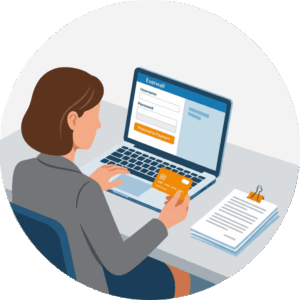 Buy the Event Social Wall on your purchasing card and set your ceremony date
- Pick a layout that reads well on a large screen and add your QR code and text number
- Send the wall link to your AV team and confirm a hardwired connection for the display computer
- Promote the QR code and hashtag in the program and on entrance signage
- Line up your moderation team and set the wall to approve-first
- Do a test run so the screen shows the wall correctly before doors open
Follow those steps and your winter commencement social wall will be live and looking great, with families seeing their own photos of their graduate up on the big screen during one of the most important days of the year.
Ready to get a social wall on the video board for your winter commencement? The Everwall Event Social Wall is quick to set up, easy to pay for on a purchasing card, and built to keep every post family-friendly with approval-first moderation. Set it up this week and give your graduates and their families a screen worth looking at.
Pretty good, right? Share this with your people.


