


The Sales Kickoff Engagement Tools Worth Paying For in 2027
Published on September 9, 2026
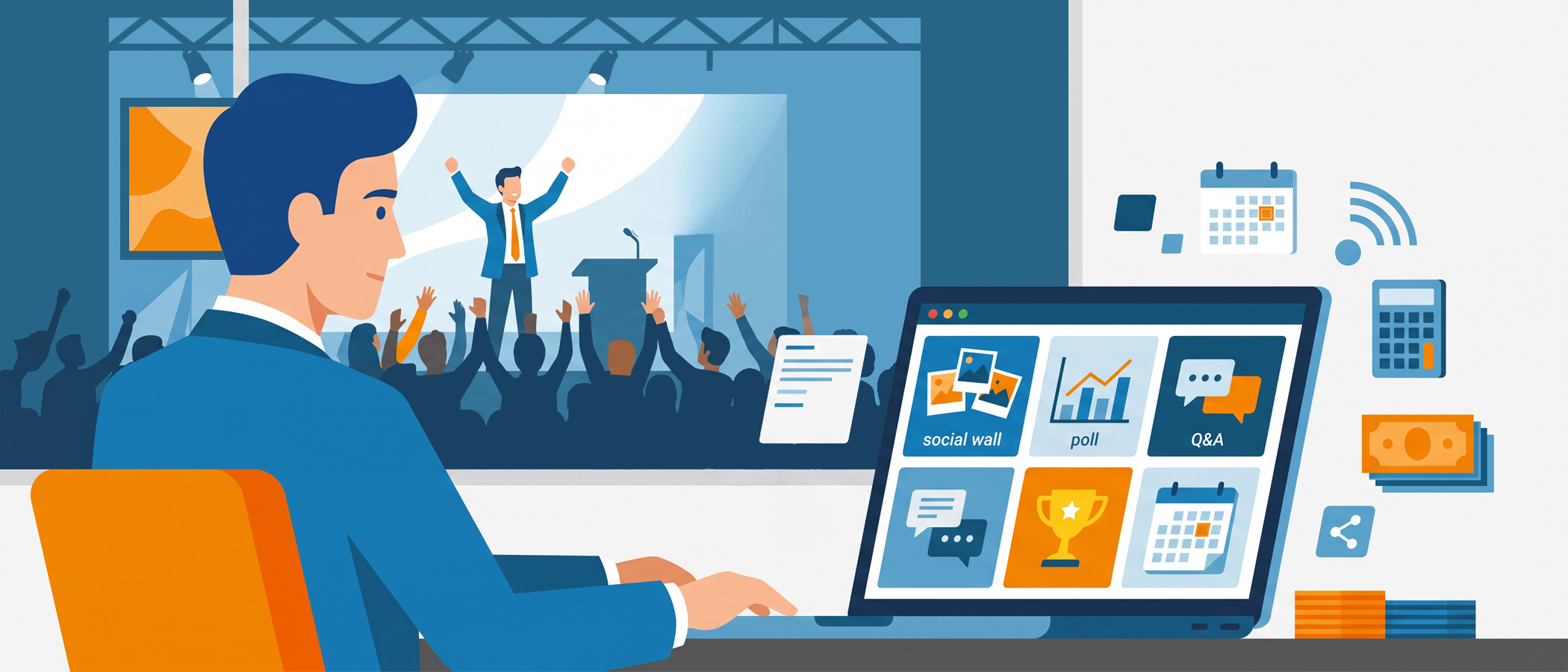
Every year the sales kickoff budget gets approved, and every year a small slice of it goes to engagement software. The venue, the travel, the catering, the keynote speaker: those numbers are huge. The polling app, the leaderboard tool, the social wall? Those line items are tiny by comparison. That size difference is exactly why they get picked in a rush, without much thought, right before the event.
That rushed decision is where things go wrong. You end up with four different apps that reps have to download, log into, and remember. Half of them never open the second one. By the third session, participation has quietly died, and you’re left wondering why the room feels flat.
This guide is for anyone owning an SKO in the fourth quarter and staring down a list of vendors. We’ll walk through the categories of sales kickoff engagement tools, what to actually look for when you evaluate them, and when it makes sense to buy an all-in-one platform.
The Categories of SKO Engagement Tools
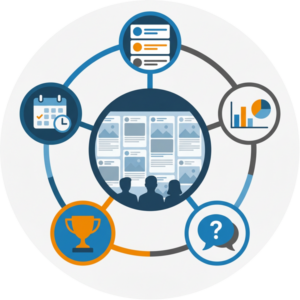
Before you compare vendors, it helps to know what buckets they fall into. Most SKO engagement software fits into one of these five categories, and a lot of teams end up buying one from each without realizing how much overlap there is.
Social walls
A social wall pulls posts, photos, and messages from your reps and displays them live on a big screen. It’s the most visible form of engagement in the room because everyone can see it. When a rep posts a photo from a breakout session and it shows up on the main screen minutes later, other people want in. This is also the tool that keeps working after the event, since you can embed the same wall in your event app or on an internal page.
 Live polling
Polling lets a presenter ask a question and show results in real time. Good for breaking up a long keynote, checking understanding after a product update, or just waking the room up after lunch. The value is speed: you ask, people answer, and the answers appear on screen within seconds.
Q&A
Q&A tools let reps submit questions during a session, and let the room upvote the ones they care about most. This matters because the loudest person in the room isn’t always asking the question everyone wants answered. Upvoting surfaces the questions that actually deserve stage time.
Leaderboards and recognition
Sales teams are competitive by nature, so leaderboards and recognition features tend to land well at a kickoff. These can track quiz scores, participation points, or shout-outs for reps who hit their numbers last year. Recognition on a screen in front of peers carries weight that a private email never will.
Agendas and announcements
The least flashy category, but often the most used. A digital agenda tells reps where to be and when. Announcements push last-minute changes, like a room swap or a schedule shift, without anyone hunting through email. If reps check one thing all day, it’s usually the agenda.
What to Actually Look For When Evaluating Vendors
Once you know the categories, the harder question is which specific tools will get used. A tool that reps ignore is worse than no tool at all, because it still costs money and setup time. Here’s what separates the software that changes behavior from the software that just adds another icon to a phone.
Does it work inside your private channels? Your company already lives somewhere: Slack, Microsoft Teams, or Webex. If an engagement tool can plug into those private channels, reps don’t have to leave the place they already are. Everwall, for example, has partnered with Webex so a social wall can run right alongside the tools your team already uses. The less friction between “I want to participate” and actually doing it, the more people will.
Can reps join without installing anything? This is the single biggest predictor of participation. Every app you ask reps to download loses a chunk of them at the install step. A tool that works through a QR code, a web link, or a channel they’re already in will always beat one that demands a download. We’ve written more about this in our guide on getting attendees to post without social media, which covers how QR codes remove that first barrier.
Is moderation built in? Sales teams joke around. Most of it is harmless, but you don’t want an off-color comment landing on the main screen during a keynote. Real moderation, where a person or a filter reviews posts before they go live, protects the event without killing the fun. This isn’t optional at a company event, and any vendor worth paying for treats it as standard.
Does it work for hybrid rooms? Plenty of kickoffs now have people in the room and people at home. If your engagement tool only works for one group, half your audience is left out. Look for tools built for hybrid audiences from the start, not ones that treat remote attendees as an afterthought.
The Case for Consolidating Your SKO Tools
Here’s the math that most SKO owners don’t do until it’s too late. Say you buy a separate vendor for each of the five categories above. That’s five contracts, five setups, five logins for your team, and potentially several apps for your reps. Each one has its own quirks, its own support process, and its own way of breaking at the worst moment.
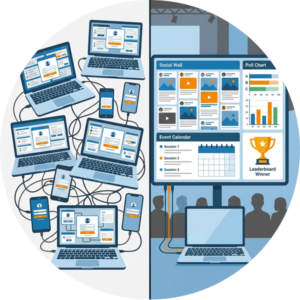 Managing four or five vendors during a live event is a genuine headache. When a poll won’t load or the leaderboard freezes, you’re now troubleshooting across multiple companies while three hundred reps wait. Every extra vendor is another thing that can fail and another number you have to call.
One platform that covers walls, polls, agendas, and recognition removes most of that risk. Fewer logins for your team. Fewer apps for your reps. One support contact instead of five. And because everything lives in one place, the experience feels connected instead of like a scavenger hunt across different apps.
There’s also a participation upside. When reps only have to learn one interface, they use it more. The social wall, the polls, and the agenda all sitting in the same spot means a rep who opened it for the schedule is one tap away from posting to the wall or answering a poll. That kind of natural crossover just doesn’t happen when your tools are scattered.
This is where Everwall fits for a lot of SKO teams. Our event social wall is the visible centerpiece, pulling posts from 15 different content sources including LinkedIn, Instagram, X, and a simple web form, with real-time updates on screen. But it also handles the jobs that usually require separate tools: you can run polls, display your agenda, and push announcements through the same wall, and you can embed the whole thing in your event app or on an internal page at no extra cost. That’s one platform doing what teams often hire four vendors to cover. If you want more ideas on filling that wall with the right prompts, our post on sales kickoff ideas is a good next read.
When a Dedicated Point Tool Is Actually the Right Call
Consolidation is the right move for most SKOs, but not all of them. There are times when a single-purpose tool earns its spot.
- You need deep, specialized features. If your kickoff runs on serious gamified competition with complex scoring rules, live brackets, and prize logic, a dedicated leaderboard platform may do things a general tool can’t. When one feature is the whole point of your event, buy the specialist.
- You already have a tool your reps love. If your team lives in a particular polling app all year and knows it cold, ripping it out for your SKO adds friction instead of removing it. Familiarity is worth protecting.
- Compliance or IT locks you in. Some companies can only use software that’s already been security-reviewed and approved. If the specialist tool is on the approved list and the all-in-one isn’t, the decision is made for you.
Outside of cases like these, the consolidation argument usually wins. The trap isn’t specialized tools themselves, it’s buying a specialist for every category when a single platform would have covered most of them just fine. If you want a broader look at the full landscape, our complete guide to conference engagement tools covers more of the market.
 Making the Call for Your 2027 Kickoff
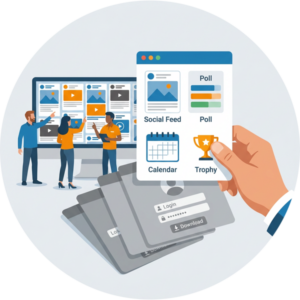
The engagement line item is small, which is exactly why it deserves more thought than it usually gets. A rushed pick means more apps, more logins, and less participation. A deliberate one means reps who actually show up in the room, on the screen, and in the polls.
Start by listing the engagement jobs your kickoff genuinely needs. Then find the platform that covers the most of them without asking your reps to install a thing or bounce between apps. Save the dedicated point tool for the one area where you truly need depth. Fewer tools, run well, will always beat a pile of apps nobody opens.
Ready to cover more of your kickoff’s engagement in one place? Everwall’s event social wall brings your reps’ posts, polls, agenda, and announcements onto one screen, with real-time updates, built-in moderation, and the ability to embed it into your event app. And if you have multiple SKOs, or think you can use these tools more than once a year, then take a look at what our All Access for Business option can do for you.
Pretty good, right? Share this with your people.


