


Everwall Ongoing Social Walls for Fresh, Engaging Content
Published on August 10, 2026
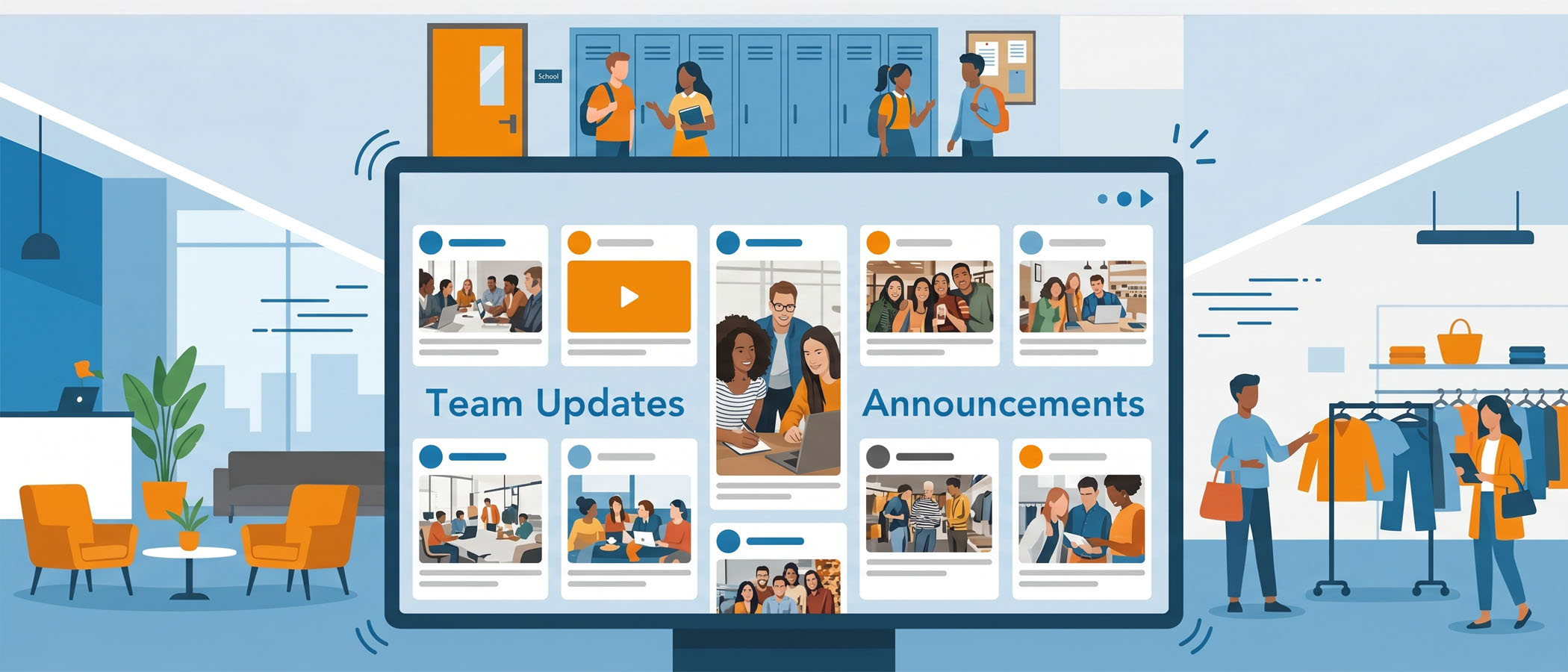
Walk into almost any office lobby, school hallway, or restaurant, and you will probably see a screen on the wall. At first, people glance at it. Maybe it shows a welcome message, a few company values, or an upcoming holiday schedule. But after a week or two, something happens: everyone stops looking.
The reason is simple. The content never changes.
When the same slides loop over and over, people learn what is on the screen and their eyes skip right past it. The information also gets stale fast. A screen still promoting last month’s meeting or an event that already happened tells viewers that nobody is paying attention to it. And once a screen feels ignored by the people who run it, the people who walk by ignore it too.
Traditional digital signage runs into these problems again and again:
- The same handful of slides repeats on a loop
- Content becomes outdated because someone has to manually update it
- Viewers stop noticing the screen at all
- Updates feel like a chore, so they happen less and less often
A screen that nobody looks at is just an expensive decoration. The good news is that the problem usually is not the screen. It is what you choose to put on it.
What Makes a Digital Signage That Shows Social Media Different
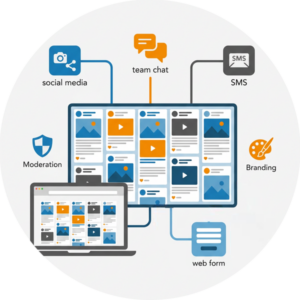 An ongoing social wall takes a different approach. Instead of static slides that someone has to build and rebuild, it pulls in real posts, updates, and highlights from the places your community already shares content. That means the screen refreshes itself automatically as new posts come in.
Here is what that looks like in practice. A retail store asks customers to share photos of their new outfits with a hashtag, and those photos show up on a screen in the store. An office pulls in messages from a team chat channel to celebrate wins as they happen. A school displays student posts and campus announcements that update throughout the day.
Because the content comes from real people and current activity, the screen always feels fresh. There is no “last updated” date sitting there looking old. When something new gets posted, the wall shows it, often within moments.
This kind of display also does double duty. It works great during a specific event, like a conference or a sales kickoff, but it also works every single day for regular communication. That flexibility is what separates a social wall from a slideshow. One is a living feed of what is actually happening. The other is a file someone forgot to update.
How Everwall Powers Ongoing Social Walls
Everwall takes real, current content and puts it on your screens in a way that looks clean and stays on brand. The product used to be called “Social Media Digital Signage,” but the name changed to “Ongoing Social Wall” because that describes it better: it is a wall of content that keeps going, day after day.
Here is what the platform brings to the table.
Content from 15 different sources
Your wall can pull from up to 15 content sources. The most popular social networks people use are X (Twitter), Instagram, LinkedIn, Bluesky, and Facebook. If you are running a wall in an office, you can also connect Slack, Webex, and Microsoft Teams, which are the tools most teams already talk in every day. It even supports emails that are converted to posts. There is also support for SMS text and photo messages, plus Everwall Direct, which is a simple web form people can post to. That last option is handy when you want content from people who may not use social media at all.
Real-time updates
New posts appear on the wall as they come in. You do not have to sit at a computer refreshing anything. The screen keeps itself current, which is the whole point of choosing a social wall over static signage.
Branding and moderation
Your wall should look like it belongs to you, so you can brand it to match your colors and style. The self-service plan comes with 12 different layouts to pick from, and if you want something completely custom, Everwall can design a layout to your exact specs. Just as important, you get moderation controls so you decide what shows up before it reaches the screen. That keeps everything appropriate and on message.
Screens and websites, both included
Most people use their ongoing social wall on physical screens in an office, lobby, break room, or shop floor. But every wall also includes the ability to embed the same feed onto a website at no extra cost, using Everwall’s social wall for websites technology. That means the content you show in your lobby can also live on an internal company page or a public page on your site. One wall, two places, no extra charge.
 Best Ways to Use an Ongoing Social Wall
The nice thing about a social wall display is that it fits a lot of different needs. Here are the ways businesses, venues, schools, and communities get the most out of theirs.
Show off your own brand’s posts: If your company is active on one or more social networks, you can pull those posts onto the wall automatically. Your marketing team already works hard on that content, so give it a second home where employees and visitors can see it.
Feature a hashtag or UGC campaign: Ask your customers to post using a specific hashtag, then display what they share. A store asking shoppers to tag their new purchases, or a brand running a seasonal campaign, can turn customer photos into content that plays all day. This is user-generated content working for you without extra effort.
Recognize your team: Employee recognition is one of the most popular uses. When a salesperson closes a deal or a team hits a goal, a quick post in Slack or Teams can land on the lobby screen and celebrate that win where everyone sees it. Public recognition like this does a lot for morale, and it costs nothing to set up once the wall is running. You can read more about how this works for internal communication.
Display what customers say about you: Posts that mention your brand, whether they are praise or honest feedback, can be pulled in and shown. Positive mentions act as social proof, and because you have moderation controls, you stay in charge of what appears.
Keep the community informed: Schools, venues, and community spaces can use the wall for announcements, event recaps, and sponsor visibility. After an event wraps up, highlights can keep playing on the screen so the energy does not disappear the moment the event ends.
Here is a quick look at who these use cases fit best:
| Use Case | Great For |
|---|---|
| Employee recognition | Offices, sales teams |
| Customer posts and reviews | Stores, restaurants, hotels |
| Event recaps | Conferences, campuses |
| Sponsor visibility | Venues, events |
| Community announcements | Schools, community centers |
| Campaign hashtags | Brands, retail |
More Than an Event Tool
A lot of people first hear about social walls in the context of a single event, like a conference or a trade show. Everwall does that well, and you can learn about the event social wall platform side of things too. But an ongoing social wall is built for the days, weeks, and months between events.
Engagement should not vanish the moment an event is over. A screen in your office or lobby keeps the conversation visible all year long. It shows that your organization is active, that your community is talking, and that there is always something new to see.
Think of it this way, an event social wall lights up for a day or two, and an ongoing social wall always stays lit. Together, they cover both the big moments and the everyday ones, which is exactly what a real engagement strategy needs.
There is also a business reason this approach works. Screens that stay current get looked at, and screens that get looked at actually deliver the messages you paid to put on them. Whether that is a sponsor logo, a recognition post, or a company update, attention is the thing that makes signage worth having. Fresh, community-driven content is how you earn that attention day after day.
Getting Started Is Straightforward
You do not need a technical background to run a wall. You pick your content sources, choose a layout, set up your branding, and turn on moderation if you want it. From there, the wall runs on its own, pulling in new content as it appears.
If you already have screens in your space, you can point them at your wall. If you also want the feed on a website, you embed it with the code Everwall provides. The same content works in both places, so you set it up once and use it everywhere.
The result is a screen people actually watch, filled with content that reflects what is really going on with your brand, your team, and your community, right now.
Ready to give your screens something worth watching? Everwall’s Ongoing Social Wall pulls real posts and updates from the platforms your community already uses, so your displays stay fresh without the constant work of updating slides. Set it up once, show it on your screens and your website, and keep your audience engaged every day. Start your ongoing social wall today.
Pretty good, right? Share this with your people.


