


Office Lobby Digital Signage That Stays Fresh
Published on October 14, 2026
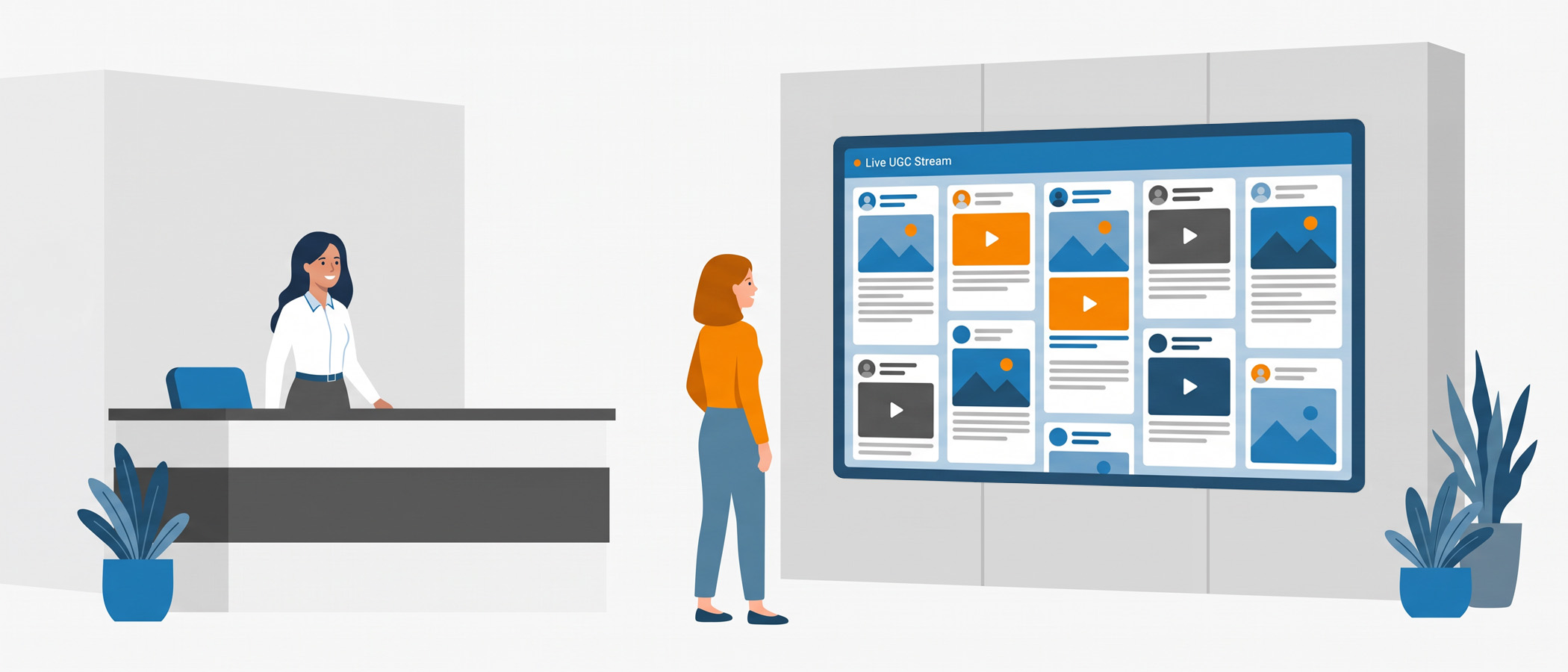
Office lobby digital signage should give visitors and staff a current picture of your company. Too often, however, it shows the same mission statement, an old holiday photo, or announcements that have been up since spring. After the first week, people stopped looking. As a result, the screen is still on, still using electricity, and still telling everyone almost nothing.
The problem isn’t the screen. It’s what’s playing on it. Static slides don’t change on their own, so someone has to remember to swap them out. That job usually falls to a busy person who has ten other things to do, and updating the lobby display never makes it to the top of the list. So the content sits there, week after week, until it fades into the background like a coat rack.
There’s a better way to run that screen, and it doesn’t require anyone to babysit it. A social wall pulls in real posts and messages from the tools your company already uses, then updates itself as new content comes in. The screen everyone walks past becomes the screen everyone actually reads, because what’s on it is real and current. Let’s look at how that works and what you’d put on it.
What to Put on Your Office Lobby Digital Signage
The reason a social wall holds attention is simple: the content keeps changing, and it’s about real people and real moments. Instead of a fixed set of slides, you get a running mix of things happening across your company right now.
Here are the kinds of content that work well on office lobby digital signage:
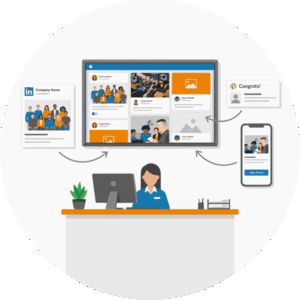
- Company posts from your brand’s accounts on X, Instagram, LinkedIn, Bluesky, or Facebook, so the newest updates show up without anyone copying and pasting them.
- Customer mentions where people tag or talk about your company online. Positive shout-outs make great social proof for visitors sitting in the lobby.
- Employee recognition for work anniversaries, new hires, or a team that pulled off something hard.
- Sales wins, like a post congratulating a rep who closed a big deal. Seeing wins roll across the screen keeps energy up on the floor.
- Announcements about policy changes, upcoming events, or office news everyone should know.
- Polls and leaderboards that give people a reason to look and maybe even join in.
However, you don’t have to use all of these at once. Many offices start with company posts and customer mentions, then add employee recognition and sales wins as they get comfortable. The point is that the screen shows a living picture of the company instead of a frozen one.
If you want more ideas for what belongs on a workplace screen, our piece on the internal comms social wall goes deeper on the topic.
Where the Content Comes From
Office lobby digital signage is only as good as the content feeding it. Fortunately, your team already creates much of that content through public social networks and internal tools. For example, a company update on LinkedIn or a team win shared in Slack can give people something new to notice.
Public networks
 Everwall’s Ongoing Social Wall supports 16 different content sources. The most popular ones for offices are X (Twitter), Instagram, LinkedIn, Bluesky, and Facebook. You can pull in your own brand’s posts, posts that mention your company, or posts tied to a hashtag or campaign you’re running. This is the outward-facing side of the wall, the part that shows how the world talks about your company.
Internal tools
The part that makes an office lobby wall really work is the internal content, and that comes from the tools your team is already using. Everwall connects to Slack, Webex, and Microsoft Teams, which covers most workplaces. For example, a manager can post a congratulations in a Slack channel, and it shows up on the lobby screen a moment later. No one has to build a slide for it.
You can also collect content through SMS (text and photo messages) and Everwall Direct, which is a simple web form. These give employees who aren’t active on social media an easy way to send something to the wall, like a photo from a team lunch or a quick shout-out to a coworker if you’re not using an internal comms tool like Slack.
If you have any internal applications or tools that can create webhooks, you can also display any of them on the screen as a post.
The mix of public and internal sources is what keeps the screen feeling fresh all day. Something is almost always coming in from somewhere, so the display never goes stale.
How Office Lobby Digital Signage Stays Fresh
This is the piece that matters most for a lobby screen, because the reason those old displays go stale is that keeping them current is a chore. A social wall flips that around.
Content updates itself in real time. When a new post goes up on your company’s Instagram, or someone drops a message in the right Teams channel, it appears on the wall automatically. Nobody logs in to swap slides. Nobody schedules a weekly refresh. The wall stays current because it’s connected to the places where your company is already active.
That doesn’t mean you set it and forget it entirely. You’ll want a light moderation rhythm to keep things on brand. Moderation is quick: you glance at what’s flowing in and approve, hide, or remove anything that doesn’t fit. Most offices set the wall so posts need a quick review before they appear, which takes a few minutes here and there rather than a full-time job. You get the freshness of automatic updates with the peace of mind that nothing odd lands on the screen in front of a visiting client.
Compare that to the old way. For example, a static slideshow needs someone to design new slides, load them, and remember to remove the old ones. In contrast, a social wall needs someone to spend a couple of minutes checking the queue. One of those keeps a screen alive with almost no ongoing work, and the other quietly falls behind until it’s invisible again.
It Works on Screens You Already Own
You don’t need to buy special hardware to run this. An Ongoing Social Wall runs in a web browser, so if your lobby screen can open a webpage, you’re set. Most smart TVs, media players, and display sticks handle that fine.
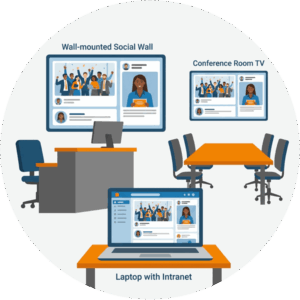 The same goes for other screens around the office. Break room TVs, hallway displays, and screens near the elevators can all show the same wall or a different view of it. And because Everwall works with meeting room setups through Zoom digital signage compatibility, you can put the wall on the screens in your conference rooms too. When a room sits empty between meetings, the screen shows company posts and wins instead of a blank blue background.
There’s one more place the wall can live that costs you nothing extra: your intranet. Every Ongoing Social Wall includes the ability to embed it on a website, using the same technology behind Everwall’s Social Walls for Websites product. Drop the wall onto your internal homepage, and remote employees who never set foot in the lobby get the same running feed of company life. You can even add it to your public website if you want visitors to see it.
So one social wall, set up once, can appear on:
- The lobby screen
- Break room and hallway displays
- Conference room screens between meetings
- Your company intranet
- Your public website, if you choose
That’s a lot of reach from a single setup, and it all pulls from the same content sources.
Making It Look the Way You Want
A lobby screen represents your company, so it should look like your company. Everwall’s self-service Ongoing Social Wall comes with 12 different layouts to pick from, which covers most needs right out of the box. For example, you can match your colors, add your logo, and choose how posts are arranged on the screen.
If you want something built exactly to your brand, Everwall can custom design a layout for you as a one-time Social Wall Template. That’s the route to take when you have a specific look in mind that the standard layouts don’t quite hit. Either way, the goal is the same: the wall should feel like part of your space, not a generic feed bolted onto the wall.
The Ongoing Social Wall was previously called Social Media Digital Signage, and the new name fits it better. It’s not just a slideshow of social posts. It’s a screen that stays in motion on its own, pulling from everywhere your company is active. You can read more about the change in our Ongoing Social Wall announcement.
Getting Started Without a Big Project
You don’t need a committee or a three-month rollout to put a social wall in your lobby. A practical way to start:
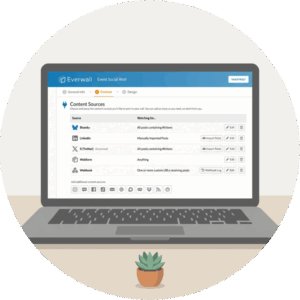 Pick your sources. Choose one or two public accounts and one internal channel, like a Slack channel for wins and recognition.
- Choose a layout. Grab one of the 12 layouts and set your colors and logo.
- Set your moderation. Decide whether posts appear automatically or need a quick review first. For a lobby, review-first is usually the safer choice.
- Point a screen at it. Open the wall in the browser on your lobby display and leave it running.
- Add more over time. Once it’s live, layer in customer mentions, polls, or a leaderboard when you’re ready.
From there, the wall runs itself. Your only ongoing task is the short moderation check, which someone can do from their phone in a spare minute.
Office lobby digital signage has a real job to do. It sets the tone for visitors and reminds staff of what’s happening around them. However, a screen frozen on last quarter’s slides can’t do that job. With a social wall, real posts, real wins, and real people keep the display current as new content arrives. As a result, your screen gives people a reason to look, while your team only needs to handle those quick moderation checks.
Ready to give your lobby screen something worth looking at? Everwall’s Ongoing Social Wall pulls real posts from your social accounts, Slack, Teams, and Webex, updates itself in real time, and runs on the screens you already have, including your intranet at no extra cost. Set it up once and let it stay fresh on its own.
Pretty good, right? Share this with your people.


