


How to Add Live Polling to Your Event Without Another App
Published on October 26, 2026
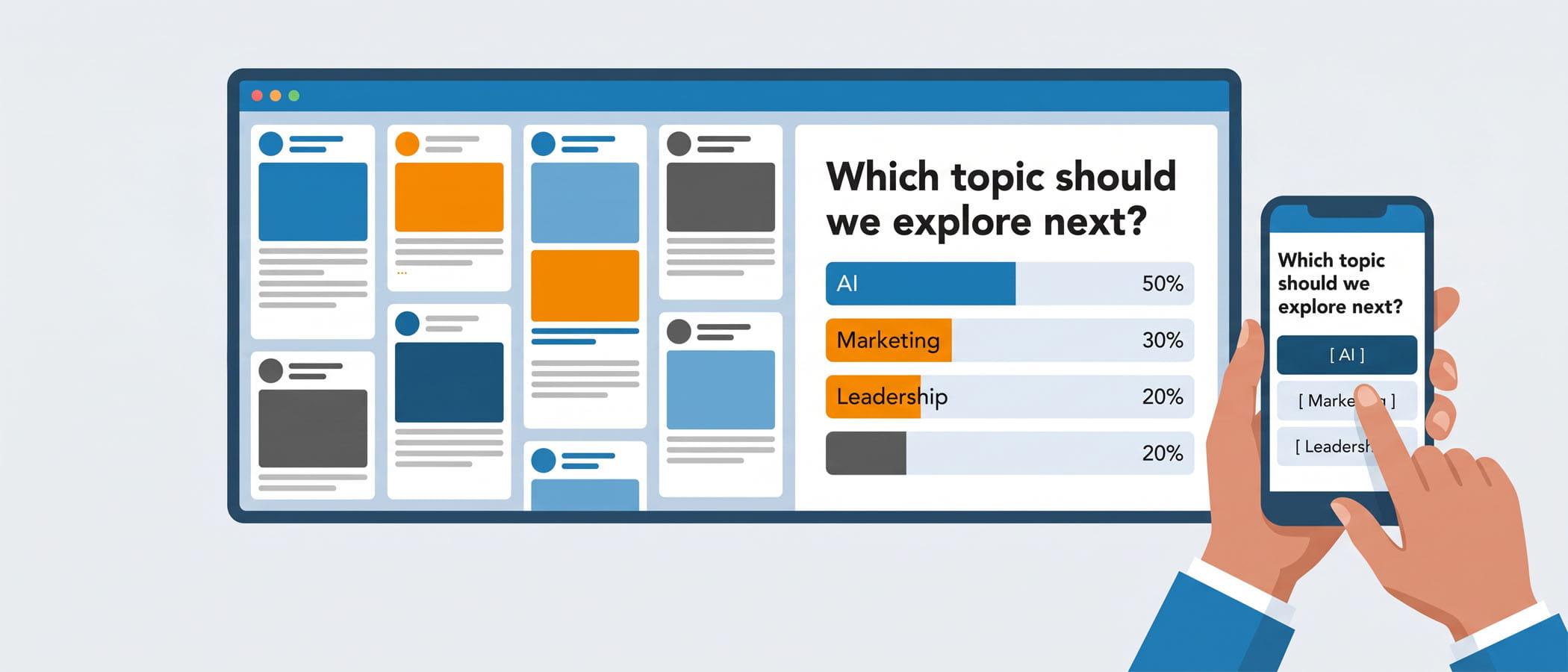
You already know the moment. A speaker finishes a point and says, “Let’s hear from you. Pull out your phones, go to this website, type in this code, and answer the question on the screen.” Then the room goes quiet. People squint at the code. A few give up. By the time most of the audience has the poll loaded, the speaker has already moved on, and the results trickle in too late to matter.
This happens because the poll lives somewhere separate from everything else at your event. Attendees have to leave whatever they were doing, find a new site or download a new app, and focus on a screen that has nothing to do with the rest of your program. For something meant to pull people in, that is a lot of friction.
There is a better way to run live polling for events, and it does not involve asking your audience to install one more thing. If the screen your audience already watches can also collect their answers, you remove almost every reason people skip the poll in the first place. This article walks through why separate polling apps cost more than their sticker price, how polls that live on your wall work instead, when a dedicated tool really is the right pick, and how fast you can get a poll up and running.
The Hidden Cost of a Separate Polling Tool
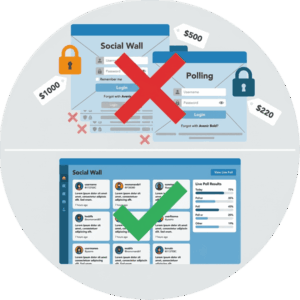
A standalone polling app looks cheap at first. Some are even free. But the price tag is not the real cost. The real cost shows up in the parts you do not see on the invoice.
Another vendor to manage
Every tool you add to an event is one more thing to set up, test, and troubleshoot when something breaks. That means another login for your team, another support line to call, and another account someone has to remember the password for at 7 a.m. on show day. When your polling lives inside a tool you are already using for other engagement, that extra management simply goes away.
 Split attention in the room
When a poll runs on its own app, your audience has to choose where to look. Do they watch the main screen, or the polling screen, or their own phone? Attention gets divided three ways, and divided attention is the opposite of what a poll is supposed to create. A single screen keeps everyone pointed in the same direction.
Results that live apart from everything else
Here is the part people notice too late. Your poll results sit inside the polling app, while your attendee posts, photos, and announcements sit somewhere else. The two never meet. So the energy a poll creates has nowhere to go, and the rest of your engagement never benefits from it. You end up with a pile of data in one place and a live crowd in another.
None of these costs show up when you are comparing prices. They show up during the event, when it is too late to change anything.
Polls That Live on the Wall
Now picture the same moment handled differently. The speaker asks a question. It appears right there on the big screen your audience has been watching all along, mixed in with the posts and announcements already running. Attendees pull out their phones, tap an answer, and watch the results fill in live on that same screen. There is no code to type, no app to download, and no new screen to find.
This is what it looks like when polling is built into your event social wall instead of bolted on from the outside. The Everwall Event Social Wall already shows real-time content from sources like Instagram, X, LinkedIn, Facebook, SMS, and a simple web form. Adding a poll means the question and its results become part of that same rotation. Attendees respond from their phones, and the answers show up where everyone is already looking.
A few things change when polling works this way:
- Participation goes up because you removed the steps that make people quit before they answer.
- The room stays together because there is only one screen to watch, not three.
- Your results sit next to everything else, so a poll result can roll right into an attendee photo or a shoutout without a hard cut between tools.
If you want to go deeper on why showing results live is the part that actually drives participation, we covered that in detail in our piece on how live event polls increase audience participation. The short version holds up here: people answer when they can see their answer count.
Include Remote and Hybrid Attendees
There is also a practical bonus. Because your event social wall can be embedded on your website or inside an event app at no extra cost, the poll travels with it. Remote and hybrid attendees see the same question and the same live results as the people in the room. If you run hybrid programs, that matters, and we broke it down further in our look at hybrid event social walls.
When a Dedicated Polling App Is the Right Call
It would be easy to say a separate polling app is always the wrong choice. That is not true, and pretending otherwise would not help you plan a good event.
There are times a dedicated event polling tool earns its place:
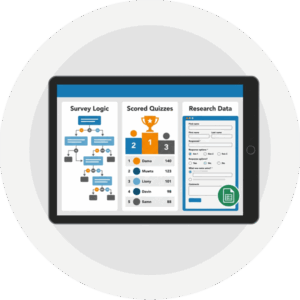 Complex survey logic. If you need branching questions, where the next question changes based on the last answer, a purpose-built survey tool handles that better than a wall-based poll.
- Scored quizzes with leaderboards. Running a competitive trivia session with points, timers, and rankings? A tool built specifically for that will give you more control.
- Formal data collection. If your poll is really a research survey tied to compliance rules, exports, or long-form responses, use a tool designed for that job.
The honest test is simple. Ask what the poll is for. If it is meant to pull your audience into the moment, keep people’s attention, and show a quick read of the room, a wall-based poll does that well and costs you nothing extra to run. If it is meant to gather detailed data you will analyze for weeks afterward, a dedicated tool is probably worth the extra app.
Most polls at live events fall into the first group. They are quick, social, and about the moment. For those, the separate app is overkill, and the friction it adds works against the very thing you wanted.
Poll Moments Worth Planning
You do not need a poll every ten minutes. You need a few placed where they do real work. A handful of reliable spots:
- The icebreaker. Open a session with a low-stakes question so people get comfortable answering before the stakes rise.
- The gut check. Mid-session, ask where the room stands on the topic. The speaker can react to live results instead of guessing.
- The vote. Let the audience pick what comes next, which breakout to feature, or which idea wins.
- The warm-up before a break. A light question keeps energy up right before people scatter.
We go further into these moments, with more examples and timing tips, in the live event polls article, so this is the short list rather than the full playbook. The point is to plan polls on purpose rather than tossing them in at random, which is the same thinking behind designing audience participation in general.
From Idea to On Screen in Minutes
The last reason separate apps cause trouble is time. Setting up a new tool, configuring it, and testing it on the venue’s screen eats hours you do not have on show day. Polling that is part of your social wall skips most of that.
Here is how fast it moves when the poll already lives where your wall does:
Write the question
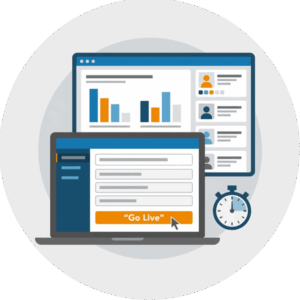
Type your question and the answer choices into your wall’s control panel. A clear question with three or four short options works best. This takes a minute or two.
 Push it to the screen
Send the poll to the wall when you want it to appear. It slides into the same rotation as your posts and announcements, so there is no switching between tools or screens.
Watch results come in
As attendees answer from their phones, the counts update live on screen. When the moment passes, you move the poll out of rotation and the wall carries on with its usual content.
Because you are working inside a tool you already set up for the event, there is no second system to learn and no separate screen to wire up. If you manage polls across many events, our MCP server even lets you run some of this with AI assistance, which we covered in AI for social wall management. And if your organization runs polls at event after event, Everwall’s All Access option lets you run social walls, and the polls that live on them, across every event you host without buying each one separately.
The Best Polling Tool Is Already on the Screen
Separate polling apps promise simple interaction and then hand your audience a list of steps that chip away at who actually takes part. You pay for it in management time, split attention, and results stranded in a tool nobody looks at again.
When polling lives on the same screen your audience already watches, the friction disappears. People answer because answering is easy, the room stays focused on one display, and your poll results sit right beside the posts and announcements that make up the rest of your event. A dedicated app still makes sense for complex surveys and scored quizzes. For the quick, social, in-the-moment polling that most events actually want, the tool already on your screen is the one to use.
Want polls that show up on the same screen your audience is already watching, with no extra app to download? Everwall’s Event Social Wall brings your posts, announcements, and live polls together on one display, with real-time results and simple setup. Take a look and get your next event’s wall running before doors open.
Pretty good, right? Share this with your people.


