


The Event Sponsorship Report that Gets Sponsors to Renew
Published on November 18, 2026

The event is over. The screens are packed up, the attendees have gone home, and your social wall did exactly what you hoped it would. Posts filled the room. People tagged your sponsor. The logo rotated across the big screen all day. You know it worked.
But your sponsor doesn’t know that yet. And the person your sponsor answers to really doesn’t know.
That gap is where a lot of good sponsorships quietly die. Not because the sponsor was unhappy, but because nobody gave them anything to show for their money. The event sponsorship report fixes that. It is the single document that turns “that felt like a good event” into numbers a sponsor can forward to their boss, which is the whole reason they’ll say yes to next year.
If you want the full argument for why social walls are worth paying for in the first place, our piece on the ROI of social walls covers that. This article is about what you hand the sponsor afterward.
What Goes Into a Sponsor ROI Report
A good sponsor ROI report does two jobs at once. It proves the numbers, and it tells the story. Miss either one and the report feels thin.
Here is what belongs inside:
- Post volume. The total number of posts that came through the wall. This is your headline engagement number.
- Reach. How many people potentially saw the social content tied to the event and the sponsor’s name.
- Participant count. How many unique people posted or interacted. Reach is the audience; participants are the people who actually joined in.
- Logo rotations and screen time. How often the sponsor’s logo appeared on the wall and roughly how long it stayed visible across the event. This is the part sponsors rarely get from any other activation.
- Top posts featuring the sponsor. A handful of the best posts that mentioned, tagged, or thanked the sponsor. Real words from real attendees.
- Photos of the wall in the room. Shots of the big screen with a crowd around it, people pointing, people reading. This is proof the activation was physically present and noticed.
The numbers come from your social wall platform. If you run your event on Everwall, the stats are tracked for you, so post volume, participant counts, and reach are already waiting when the event ends. Our Full Service option includes comprehensive stats pulled together for you, which saves you from piecing it together by hand.
The story comes from screenshots and room photos. A chart tells a sponsor the activation performed. A photo of forty people laughing in front of their logo tells the sponsor’s boss the activation mattered.
Numbers Prove It, Photos Sell It
 It’s tempting to think a report is just a stats page. It isn’t. A sponsor’s boss is a busy person who may have never set foot at your event. Charts alone can feel abstract to someone who wasn’t there.
That’s why the photos carry so much weight. When you include a picture of the social wall lit up in a crowded room with the sponsor’s logo clearly visible, you’ve given the sponsor something concrete. They can drop it into a slide, send it up the chain, and say “this is what we paid for, and here’s the crowd it drew.”
The same goes for top posts. A screenshot of an attendee writing “loving the lounge, thanks to [Sponsor]” does something a reach number can’t. It shows the sponsor’s brand connected with real people in a positive way. User-generated content tends to land harder than polished ads because it reads as genuine, and attendee posts at your event are exactly that.
So think of your report in two halves. The stats answer “did it work?” The photos and posts answer “was it worth it?” You need both to make the renewal easy.
A One-Page Sponsor Report Template You Can Copy
Keep the report to one page. A sponsor is more likely to read and forward a tight single page than a ten-slide deck. Here is a structure you can copy and fill in.
Header
Event name, sponsor name, sponsorship level, and the dates. One line each. This tells anyone who opens it exactly what they’re looking at.
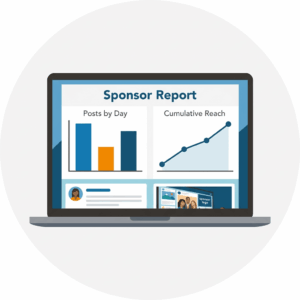 The Numbers
A clean row of your key stats. Four to six figures is plenty:
- Total posts
- Unique participants
- Total reach
- Logo appearances on the wall
- Estimated logo screen time
- Hashtag or campaign used
Put these in big, bold numbers. This is the section the sponsor screenshots.
Top Posts Featuring the Sponsor
Three to five of the best attendee posts that mention or tag the sponsor. Include the person’s name or handle and the post itself. Pick ones that are warm and clearly tied to the brand.
The Wall in the Room
Two or three photos. At least one wide shot showing the screen and a crowd, and one closer shot where the sponsor’s logo is easy to read. If you have a photo of someone actively posting or pointing at the wall, use it.
A Short Closing Line
One or two sentences. Something like: “Your brand was in front of attendees all day, and the wall gave people a reason to keep looking.” Then your renewal offer, which we’ll cover next.
That’s the whole page. If you ran a conference and want to make sure you captured sponsor assets and post-event steps along the way, our conference social wall checklist helps you plan for the report before the event even starts.
Timing: Send It Within a Week
The best sponsor ROI report in the world loses power if it shows up a month late. By then the sponsor has moved on to other projects, the excitement has faded, and the budget conversation has cooled.
Send the report within a week of the event ending, while it’s still fresh in everyone’s mind. The sponsor still remembers standing near the wall. Their team is still talking about the event internally. That’s the moment your numbers and photos matter most.
And don’t send the report alone. Attach the renewal offer right to it. When a sponsor is looking at proof the activation worked, that is the single best time to ask them to do it again. You’re not making a cold pitch. You’re saying “here’s what you got, and here’s how to lock it in for next year” while the evidence is sitting right in front of them.
If you want more on keeping momentum after the event wraps, our post-event engagement ideas go beyond the sponsor report into the rest of your follow-up.
How the Report Lets You Raise the Price Next Year
Here’s the part that makes this document worth the effort. A sponsor report doesn’t just protect next year’s renewal. It gives you the footing to charge more for it.
Think about how a price increase usually goes. You ask for more money, the sponsor asks why, and you don’t have much to point to. The conversation gets awkward and you often cave.
Now flip it. You hand over a report showing their logo appeared on screen hundreds of times, thousands of people were reached, and dozens of attendees posted about them by name. When you then propose a higher package for next year, you’re not asking them to gamble. You’re asking them to pay a bit more for something they already watched perform.
The numbers do the negotiating for you. A sponsor who can show their boss a strong ROI report has an easy time defending a bigger spend, because the spend already has evidence behind it. That’s a very different conversation than asking someone to trust you.
This is also why consistent reporting matters year over year. When you deliver the same clean report each time, you build a track record. The sponsor starts to expect it, trust it, and plan around it. For more on pricing the activation itself, our guide on social wall sponsorship covers how to package and price it from the start.
Make the Report Easy to Produce
The reason some planners skip the sponsor report is simple: pulling it together feels like work after an already exhausting event. That’s a fixable problem.
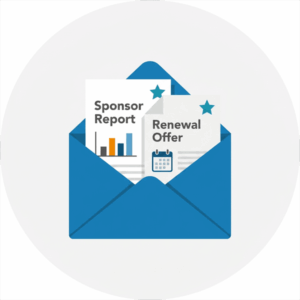 The more your social wall platform tracks for you, the less you have to assemble by hand. With Everwall, post counts, participant numbers, and reach are captured automatically during the event, so the stats half of your report is mostly done before you sit down to write it. The event social wall also includes a free website embed, which means the content keeps living on your site or event app after the doors close, giving your sponsor even more mileage.
For the story half, build the habit of taking photos during the event. Walk by the wall a few times when it’s busy and grab shots of the crowd. Screenshot the strongest sponsor posts as they come in, before they scroll away. Do those two small things during the event and your report nearly writes itself afterward.
The whole point is this: sponsors renew what they can show their boss. Give them a single page that proves the numbers and tells the story, send it while the event is fresh, and attach the offer to come back. Do that consistently and you won’t be chasing renewals. You’ll be raising prices.
Want sponsor-ready numbers without the scramble? An Everwall event social wall tracks post volume, reach, and participation for you, and our Full Service option pulls it all into comprehensive stats you can hand straight to your sponsor. Set up your wall today and make next year’s renewal the easy part.
Pretty good, right? Share this with your people.


