


Medical Society Meeting Technology for Social Wall Buyers
Published on November 16, 2026

If a social wall is on your list of medical society meeting technology for spring, start with one question. Who gets to decide what goes on screen? A big screen showing attendee photos, speaker quotes, and poster session highlights looks great in the main hall and gives people a reason to post. But picking the right vendor is not about which wall looks the prettiest. For a medical meeting, the screen itself is the easy part. Almost every vendor can put posts on a screen.
What separates a good fit from a bad one is everything that happens before a post ever shows up. Who approves it? How fast? Can a real person step in when a photo of a patient slips through, or when someone posts something off-label or promotional? Medical society meeting technology carries risks that a user conference or a product launch simply does not. You are dealing with patient privacy, research that has not been published yet, and strict rules about what can be said about drugs and devices.
This article walks you through what to look for when you buy a medical conference social wall, the questions to ask each vendor, and the warning signs that should make you pause. If you have already read our guide on medical meeting social wall moderation and compliance, think of this as the buying companion to it. That one covers the how. This one covers the who.
How to Evaluate Medical Society Meeting Technology for a Social Wall
Not every feature deserves equal weight. For a medical society, some things are nice to have and some things will keep you out of trouble. Here is how to rank them.
Moderation model and speed
This is the single most important thing to evaluate. A social wall at a medical meeting should never show a post the moment someone submits it. You need a system where posts wait in a queue until someone approves them. This is called pre-moderation, and it is not optional for this kind of event.
Speed matters too. If posts sit in a queue for twenty minutes, your wall feels dead and people stop posting. Ask how quickly approved posts appear and whether the moderation tools let one person handle a busy feed without falling behind.
Managed moderation availability
Some vendors give you the tools and leave you to staff the moderation yourself. Others offer to do the moderating for you with their own trained team. For a medical meeting, having the option of managed moderation is a real advantage. Your staff is already stretched thin running the event, and watching a post queue for three straight days is a job on its own.
Even if you plan to moderate in-house, pick a vendor that can step in if your plans change.
 Control over what displays
You want full control over the wall at all times. That means being able to:
- Approve or reject any post before it shows
- Remove a post that already appeared, instantly
- Block specific words, phrases, or users
- Pause the entire wall if something goes wrong
- Choose which content sources feed the wall
If a vendor cannot give you an instant takedown and a pause button, that is a problem for a medical audience.
References from other medical meetings
A vendor who has worked with other societies, hospitals, or medical associations already understands what you are worried about. Ask for names of similar events they have supported. General event experience is good, but medical experience means they have already dealt with patient photos, embargoed research, and promotional content rules.
Service level and on-call support
Things go wrong at live events. A screen freezes, a feed stops updating, or you need to block a user at 7 a.m. before the keynote. You need to know who you can reach and how fast they respond. Ask whether support is available during your actual event hours, including early mornings and evenings, and whether there is a real person on call or just a help article.
Accessibility
Your wall should work for every attendee, including those with low vision. Look for good color contrast, readable text sizes, and content that does not flash by too quickly to read. Our guide on building an accessible social wall covers the specifics worth checking. This matters more than many planners expect, especially at meetings with older attendees.
Questions to Ask Each Vendor
When you compare medical society meeting technology vendors, ask each one to show you what happens to a post between submission and display. Use the questions below to guide the demo.
“Does every post get approved before it shows on the screen?”
A good answer is a clear yes, with a description of how the approval queue works. A bad answer is any version of “posts show automatically, but you can remove them after.”
“Can your team moderate for us, and how are those people trained?”
You want to hear that managed moderation is available and that the people doing it understand event content and your rules. A vague answer here should concern you.
“If a patient photo or a bad post slips through, how fast can it come down?”
The right answer is immediate, with one click, from a phone or laptop. They should also be able to block the person who posted it from posting again.
“What happens if your system goes down during my event?”
Listen for a real backup plan and a support contact who is reachable during your event hours. “Open a ticket” is not an acceptable answer for a three-day meeting.
“Can we control which social networks and sources feed the wall?”
You want the ability to turn sources on and off. Some societies prefer a private web form or text message submission over open social media, which keeps the wall tightly controlled.
“Have you run walls for other medical or scientific meetings?”
Specific examples are better than a general “yes, lots of events.” Ask what challenges came up and how they handled them.
Red Flags That Should Make You Walk Away
Some things are deal-breakers for a medical society meeting, no matter how good the price looks.
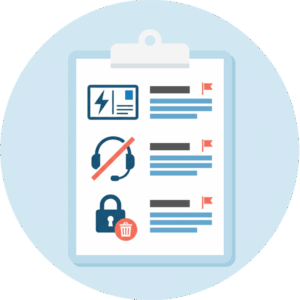 The first is automatic display without approval. If a vendor’s default is to show posts instantly and treat moderation as an add-on or an afterthought, that product was not built for your risk level. For most events this is fine. For a medical meeting it is not.
The second is no human service tier at all. If the only support is self-service, you are on your own if something goes wrong during a live session. Some planners are comfortable running a self-service wall for a low-risk internal event, but a public medical meeting needs the option of real people behind it.
The third is no takedown or block workflow. You must be able to remove a post that already showed and stop a repeat offender. If a vendor cannot clearly explain how you do both, keep looking.
A smaller warning sign is a vendor who talks only about layouts, animations, and visual themes and goes quiet when you bring up moderation. The display is the easy part, remember. If that is all they want to talk about, they may not understand what you actually need.
Why Service Matters More Than Price Here
For many events, choosing a social wall comes down to budget, and that is perfectly reasonable. A company holiday party or a small user meetup can run fine on a low-cost, self-service plan. Our general guide to choosing a social wall platform walks through that trade-off for everyday events.
Medical society meetings sit in a different category. A single bad post on a big screen in front of hundreds of physicians, exhibitors, and journalists can turn into a real problem. It might expose patient information, leak unpublished research, or create a compliance issue around how a product was described. The cost of cleaning that up, in both reputation and actual compliance headaches, dwarfs whatever you saved by picking the cheapest option.
When you budget for medical society meeting technology, ask who will watch the queue during your busiest sessions. Managed moderation gives that job to a trained team so your staff can stay focused on the meeting. If you are shaping your spending for the year, our piece on event technology worth budgeting for can help you make the case internally.
The good news is that a well-run wall does more than stay out of trouble. It gives attendees a reason to share poster highlights, speaker takeaways, and session moments, and you can embed that same wall in your event app or on your meeting website so people following remotely feel included too.
How Everwall Fits a Medical Meeting
 Everwall’s Event Social Wall is built with moderation as the starting point, not an add-on. Every post can be held in a queue and approved before it ever reaches the screen, and you can remove anything instantly or block a user with one click. The wall pulls from 16 different content sources, including X, Instagram, LinkedIn, Bluesky, Facebook, a private web form, and SMS, so you can decide exactly how locked-down or open you want the feed to be.
For societies that want hands-off coverage, our Full Service plan includes a team that moderates for you and a custom design built to match your meeting. That is the tier most medical societies choose, because it takes the moderation workload off your staff entirely. Your event wall also embeds on your website or in your event app at no extra cost, which keeps remote attendees connected without a separate tool.
Before you choose your medical society meeting technology, give each social wall vendor the same test. Ask them to remove a sample post during the demo and tell you who would take your call if it happened five minutes before the keynote.
Ready to run a medical meeting social wall you can actually trust? Everwall’s Event Social Wall pairs real pre-approval moderation with a Full Service team that handles the queue for you, so your staff can focus on the meeting. Take a look and see how it fits your spring event.
Pretty good, right? Share this with your people.


