


Six Questions to Ask Before You Choose a Social Wall Platform
Published on September 23, 2026
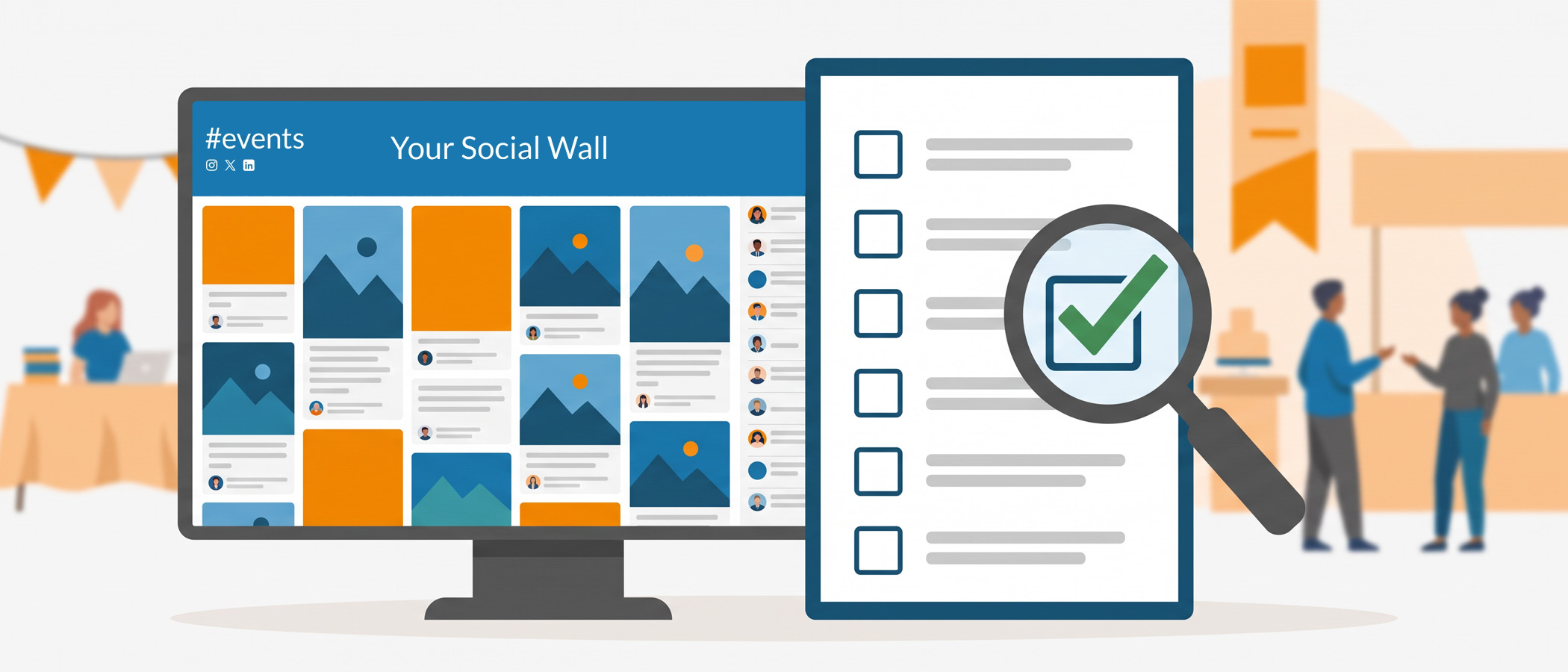
Before you choose a social wall, look beyond the demo. The screen fills with posts, the layout moves, and everyone in the room nods. Then the event arrives, and the questions nobody asked start to matter. Can people post if they don’t use social media? Who catches a bad post before it hits the big screen? What happens to all those posts after the last session ends?
A demo shows you the polish. It rarely shows you what happens when something goes sideways. If you want to know how to choose a social wall that actually fits your event, you need to look past the pretty screen and ask the questions that decide whether the day goes smoothly. Here are six of them, along with how Everwall handles each one so you have something concrete to compare against.
Which Content Sources Do You Actually Need?
Before you choose a social wall, start with a simple list: where will your posts come from? Some events run entirely on Instagram. Others pull from X, LinkedIn, Facebook, or a mix. And a growing number of events need posts from people who don’t want to use any social account at all.
That last group matters more than most planners expect. Attendees at internal meetings, private company events, or ceremonies often won’t post publicly. If your platform only pulls from social networks, it leaves those people out.
Everwall supports 15 content sources. The most-used ones are X, Instagram, LinkedIn, Bluesky, Facebook, plus two that don’t require a social account at all:
- Everwall Direct, a web form where people submit a photo and message straight to the wall
- SMS, where attendees text a message to a number and it appears on screen
Those two options are the reason a social wall without social media still fills up with real posts. When you’re comparing platforms, count the sources you need, then check whether posting without an account is included or treated as an upgrade.
What Happens to Posts Before They Reach the Screen?
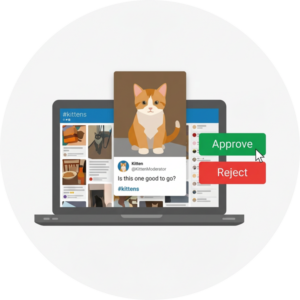 This is the question that separates a calm event from a stressful one. Every social wall shows content in front of a live audience, which means one careless or rude post can end up on a giant screen in front of hundreds of people.
So ask exactly how moderation works. A few things to pin down:
Who can moderate, and from where?
Multiple people should be able to approve or hide posts from their own phones or laptops. If moderation requires one specific computer, you have a problem whenever that moderator steps away.
Is it approve-first or hide-later?
Some walls show everything and let you remove bad posts after the fact. Others hold every post until a moderator approves it. For a small event, hide-later is often fine. For a large or high-stakes event, approve-first is the safer setting.
Everwall lets you choose. You can pre-moderate so nothing appears until it’s approved, or moderate live as posts come in. Multiple team members can moderate at the same time from any device, so you’re never depending on one person in one spot. If you want to go deeper on this, our guide to social wall moderation covers the settings worth knowing before your event starts.
What Service Level Does Your Event Really Need?
Not every event needs the same amount of help, and paying for full service when you don’t need it wastes budget. Paying for self-service when you’re running a keynote in front of thousands can leave you exposed. Match the service level to the stakes.
Here’s a simple way to think about it:
- Self-service works well when you’re comfortable setting things up yourself and the event is low-pressure. You control the wall, pick a layout, and run it.
- Self-service with premium support adds a Dedicated Account Manager for faster help when you have questions but still want to mostly run things yourself. You get a dedicated person who knows your event so when you reach out, they know how to best help. They also help you configure things, and verify everything is setup correctly based on your goals.
- Full service makes sense when the event is big, the schedule is tight, or you simply don’t have time to manage a wall on top of everything else, but you still need the social wall to look amazing. Everwall’s team builds a fully custom designed social wall for you, and sets up your Everwall account for you. your team just has to set it up on site, and potentially manage moderation.
- VIP service is for the highest-stakes productions, where you want a custom setup and a dedicated team on standby on site. We manage everything end-to-end, including moderation of content.
Redundancy is worth asking about specifically. For a large event where the wall is on a main stage, you want to know there’s a backup plan if a screen or feed hiccups. That’s exactly the kind of thing full service is built to handle, and it’s a fair question to raise no matter which platform you’re considering. Everwall offers 12 layouts on self-service, and with full service the team can design something custom to match your branding.
Can the Same Content Be Reused After the Event?
When you choose a social wall, think beyond the live display. But every post collected during your event is content you already own, and a good platform lets you use it again.
Think about three places that content can keep working:
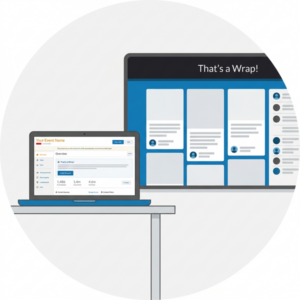 Embed the same wall on your event website or inside your event app so people who couldn’t attend still see the activity. With Everwall, embedding is included at no extra cost through our Social Walls for Websites product, so a wall built for the big screen also lives online without a separate purchase.
Build a recap page after the event ends. Everwall Wrapped gathers the posts, sponsor moments, and photos into a page you can share once the room clears out, which keeps the momentum going after everyone heads home.
And if you run displays year-round in an office or lobby, that same social content can feed an ongoing social wall instead of sitting unused.
When you compare platforms, ask whether reuse costs extra or if they delete the content from their platform after a certain amount of time. Most platforms do, but Everwall does not.
How Is It Priced, and Does That Model Fit Your Event?
Pricing is where a one-time event and a year-round program part ways, and picking the wrong model costs you either way.
If you’re running a single conference or a two-day event, you want one-time billing. Paying a monthly subscription for something you’ll use for a few days makes no sense. Everwall’s Event Social Walls use one-time billing, with self-service starting from a per-event-day rate and a 30-day pass available if your event spans a longer window. You pay for the days you need and you’re done.
If instead you’re putting a wall in your office lobby or on your website and leaving it up, a recurring plan fits better because the wall is always on. That’s what Everwall’s Ongoing and Website products are built for.
The trap to watch for is a platform that only offers monthly subscriptions and pushes you into one for a single event. You end up paying for months you don’t use, or scrambling to cancel before the next charge. For a fuller breakdown of how day passes, subscriptions, and full-service plans compare, our social media wall cost guide lays out the numbers so you can budget without surprises.
Ask directly: is there a one-time option for a one-time event? If the answer is no, that tells you something about whether the platform was built for events like yours.
Is It Accessible and Appropriate for Your Audience?
The last question is easy to skip and important to ask. Who is in your room, and will the wall work for all of them?
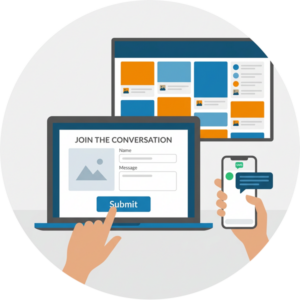 Accessibility covers a few things. Can people with different devices post without downloading an app? Is text on the wall large and clear enough to read from the back of a big room? Do the ways to join, whether by hashtag, web form, or text message, work for people who aren’t glued to social media?
Appropriateness is the other half. A wedding, a school ceremony, a sales kickoff, and a public festival all call for different tones and different moderation settings. A private sales kickoff social wall might stay completely closed off with every post approved first, while a public festival wall can run more openly. The right platform lets you set the experience to match your crowd instead of forcing one style on everyone.
Everwall’s mix of posting options, layout choices, and moderation controls exists so you can shape the wall around your audience rather than the other way around. When you evaluate any platform, picture your actual attendees using it, not the polished crowd in the demo video.
Choose a Social Wall Based on Answers, Not Gloss
Companies design demos to look good. Your event has to actually run. The gap between those two things is where these six questions live.
Work through them in order: the sources you need, how posts get moderated, the service level that matches your stakes, whether content gets reused, how it’s priced for your kind of event, and whether it fits your audience. Line up the answers side by side, and the right platform usually becomes obvious. Choose a social wall whose answers match what your event actually needs.
Ready to see how the answers line up for your event? Take a closer look at our Event Social Wall, where posting without a social account, flexible moderation, one-time pricing, and a free website embed all come standard. Set up the wall that fits your event, not the one that just looks good in a demo.
Pretty good, right? Share this with your people.


