


How to Use Your Event Agenda to Drive Participation
Published on April 13, 2026
You’ve spent months planning an event. The speakers are ready. The venue looks great. The hashtag is catchy. But when you look around the room, most attendees are checking their phones, staring blankly at the stage, or quietly chatting with the person next to them. Almost nobody is posting. Nobody is asking questions. The energy feels flat.
What went wrong?
In most cases, the problem isn’t your content or your audience. It’s confusion. Attendees don’t participate because they don’t know when they’re supposed to, what they’re supposed to do, or if their contribution even matters. This is where your event agenda becomes more than a schedule. When designed with intention, your agenda can guide attendees toward specific moments of engagement throughout the day.
This article will show you exactly how to use an event agenda to drive participation by building engagement prompts directly into your schedule.
Confusion Is the Enemy of Engagement
Think about the last conference or event you attended. Did you know when you were supposed to post on social media? Was there a clear moment for questions? Did anyone tell you what the hashtag was?
If you had to guess or figure things out on your own, you probably didn’t bother. That’s normal. When people aren’t sure what to do, they default to doing nothing.
The problem with most event agendas is that they only inform. They tell attendees what time the keynote starts or when lunch happens. But they don’t actually prompt people to take action. And that’s a missed opportunity.
Participation doesn’t happen by accident. It happens when you tell people exactly what to do and when to do it. The agenda can be a tool for doing that. You could also have these schedule prompts as a verbal announcement from the emcee, or displayed on screens.
If you can take one thing away from this article, it’s that engagement should be scheduled ahead of time, and prompted by you. Exactly how you do it, is up to you.
Engagement Moments Worth Scheduling On Your Agenda
So what kinds of moments should you actually schedule and show on your event’s agenda? Here are a few that consistently get people involved:
Photo Moment
This is a dedicated time when you ask everyone to take a photo and share it. It might sound simple, but it works. You give attendees a prompt, a hashtag, and a countdown. Suddenly, dozens of photos flood your social feed.
Example agenda line: “2:15 PM – 2:20 PM: Group Photo Moment – Share your best shot using #OurEvent2026”
Q&A Block
If you want attendees to ask questions, you need to give them a clear window. Don’t just hope someone will raise their hand after a speaker finishes. Schedule it. Make it visible. And remind them when the moment is approaching.
Example agenda line: “11:45 AM – 12:00 PM: Live Q&A – Submit your questions now via the event app or social media”
Shout-Out Block
This one creates energy and recognition. Invite attendees to post a shoutout to someone at the event. It could be a coworker, a speaker, or a vendor they met. Showing these posts on screen during the block makes it even more impactful.
Example agenda line: “4:00 PM – 4:30 PM: Shout-Out Time – Tag someone who made your day using #OurEventShoutout”
Sponsor Moment
Sponsors love visibility, and attendees are often willing to engage if there’s a clear ask. Try scheduling a moment where people can post about a sponsor booth they visited or a giveaway they entered.
Example agenda line: “1:30 PM – 2:00 PM: Sponsor Spotlight – Share your favorite booth and tag the sponsor for a chance to win”
These are just a few ideas, and we’ve written them as if you were going to put it on the agenda for everyone to see, but they could just as easily be displayed as an announcement on a screen or communicated another way. The key benefit to showing them on your agenda is that each scheduled engagement moment is more visible on the agenda allowing people to anticipate them. When attendees see it coming, they’re far more likely to join in.
Timing and Announcing Engagement Prompts
Scheduling engagement moments is only half the job. You also have to announce them properly. Here’s how to make sure people actually notice:
Before the event: Include engagement moments in all pre-event communication attendees will see (maybe not on the public website’s agenda). Let people know ahead of time that there will be interactive segments and tell them what to expect.
On screen: Use your displays to count down to engagement moments. If people can see that something is coming up in five minutes, they’ll prepare for it.
From the stage: Have your emcee or host verbally remind attendees before each engagement window. A simple, “In just a few minutes, we’ll be doing our shout-out block, so start thinking about who you want to recognize,” goes a long way.
In the event app or printed materials: Make sure the agenda itself is easy to access and clearly highlights participation moments. Bold them. Color-code them. Whatever helps them stand out.
The more touch points you create, the more likely people are to participate. Repetition isn’t annoying when it’s helpful.
Using Your Agenda as a Visual Guide on Screen
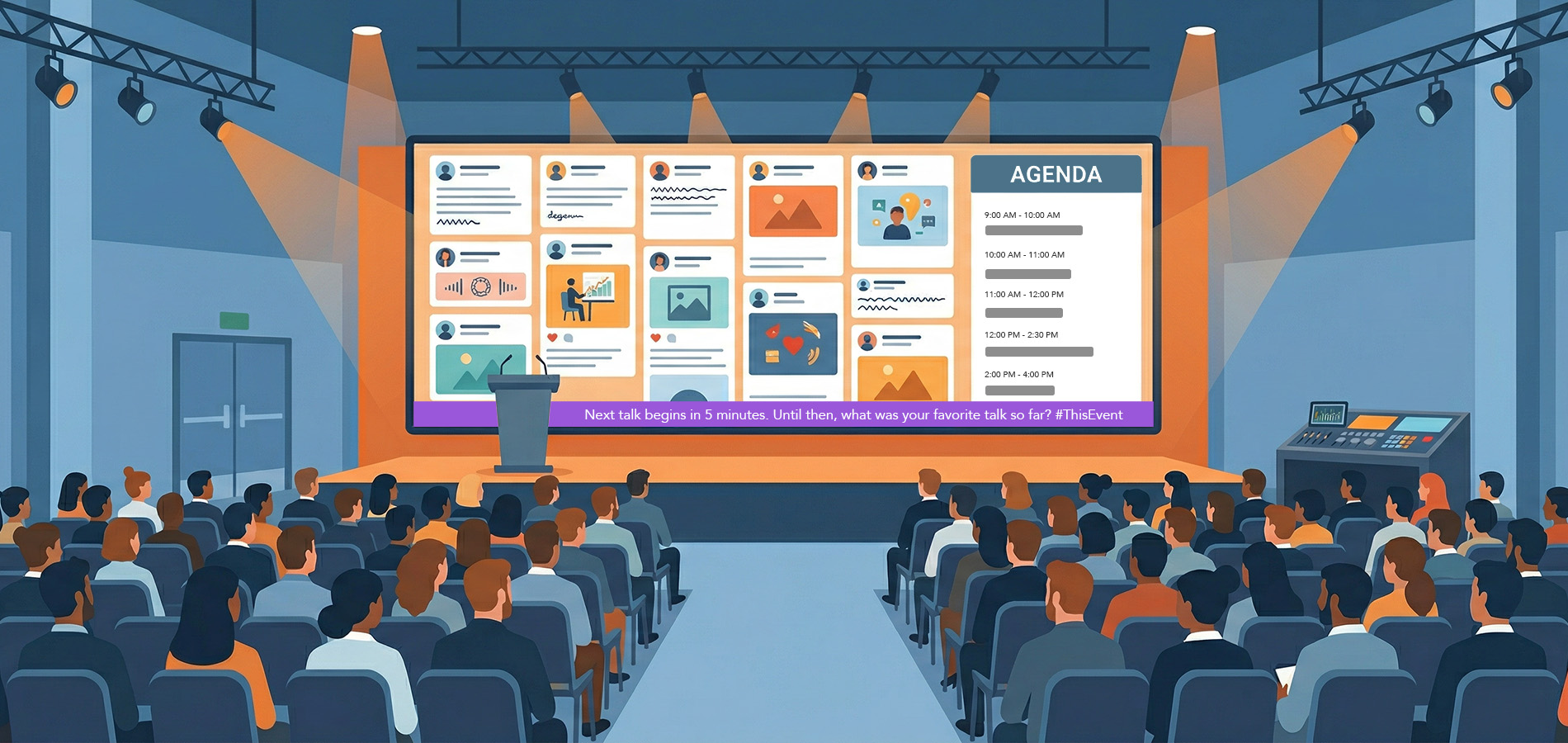
Here’s where you can take things a step further: display your agenda during the event (or at key moments, if you prefer). Instead of just printing it in a booklet or posting it in the app, show it live on screen on your social wall so that anyone who checks out the social wall is reminded of what’s coming up.
Everwall’s event social wall includes an agenda feature that lets you take over the display, or parts of it, to show attendees what’s happening next. You can also use the Announcements feature to highlight the desired engagement prompt with a direct call to action like “Post your photo now using #OurEvent2026.”
This removes the guesswork. Attendees don’t need to dig through a program or check their phones. They just look at the screen and know exactly what to do. It also creates urgency. When people see that something is happening right now, they’re more likely to act.
If you’re already using a social wall to display attendee posts in real-time combined with sponsor overlays or event CTAs, layering in agenda slides makes that experience even more seamless. The wall becomes more than a feed. It becomes a guide that moves people through the event and invites them to contribute along the way.
You can also explore additional ways to keep your content flowing on the wall with social wall content ideas that actually get people to participate.
A Sample Engagement-Friendly Schedule
Here’s an example of how you might structure a one-day event to include scheduled participation moments. This is just a template, but it should give you a sense of how to integrate engagement without disrupting your flow.
| Time | Session | Engagement Note |
|---|---|---|
| 8:00 AM | Registration & Networking | Display welcome message on social wall with hashtag |
| 9:00 AM | Opening Keynote | Mention hashtag from stage |
| 9:45 AM | Photo Moment | Prompt attendees to take a selfie and post with hashtag |
| 10:00 AM | Breakout Sessions | Display agenda with session reminders |
| 11:30 AM | Live Q&A | Open questions via app, SMS, or social |
| 12:00 PM | Lunch | Display sponsor content and UGC on wall |
| 1:00 PM | Panel Discussion | Encourage live reactions on social |
| 2:00 PM | Sponsor Spotlight | Ask attendees to post about a booth visit |
| 3:00 PM | Breakout Sessions | Agenda reminder on screen |
| 4:00 PM | Shout-Out Block | Display attendee posts recognizing others |
| 4:30 PM | Closing Session | Recap highlights from the day, show top posts |
| 5:00 PM | Networking Happy Hour | Display user-generated content on screen |
You can adapt this to fit your event length and format. The point is to have at least three to four scheduled engagement windows spread throughout the day.
If you want a more complete walkthrough of how to plan engagement throughout all phases of your event, check out the event engagement checklist for planners.
Why This Approach Works
When you treat your agenda as an engagement tool rather than just a schedule, a few things happen.
First, you remove friction. Attendees don’t have to figure out when to participate. You tell them.
Second, you create shared moments. When everyone is posting at the same time, it builds energy and makes the event feel more connected. That energy shows up on your social wall and amplifies the experience.
Third, you make it easier to measure results. When participation is tied to specific time blocks, you can look at your analytics and see exactly what worked.
Finally, you give your sponsors and stakeholders something tangible. Instead of vague promises about visibility, you can show them that during the “Sponsor Spotlight” block, 87 posts were shared using the sponsor’s hashtag.
For more on how to tie engagement to real outcomes, read about treating engagement as a revenue metric.
Small Changes, Big Results
You don’t need to reinvent your event to get better participation. You just need to work scheduled engagement moments into your agenda. Make them visible. Prompt people clearly. Use your screens to guide them.
A good agenda doesn’t just inform. It triggers engagement.
If you’re already planning your next event, take a few minutes to go through your schedule and ask: where are the moments I want people to participate? Then make sure those moments are obvious, announced, and easy to act on.
That simple shift of planning it out ahead of time can create big results for your event’s engagement.
Ready to turn your event into an engagement engine? Everwall gives you the tools to display real-time attendee content, highlight your agenda on screen, and guide participation at every stage of your event. See how it works and start building your social wall today.
Pretty good, right? Share this with your people.


